
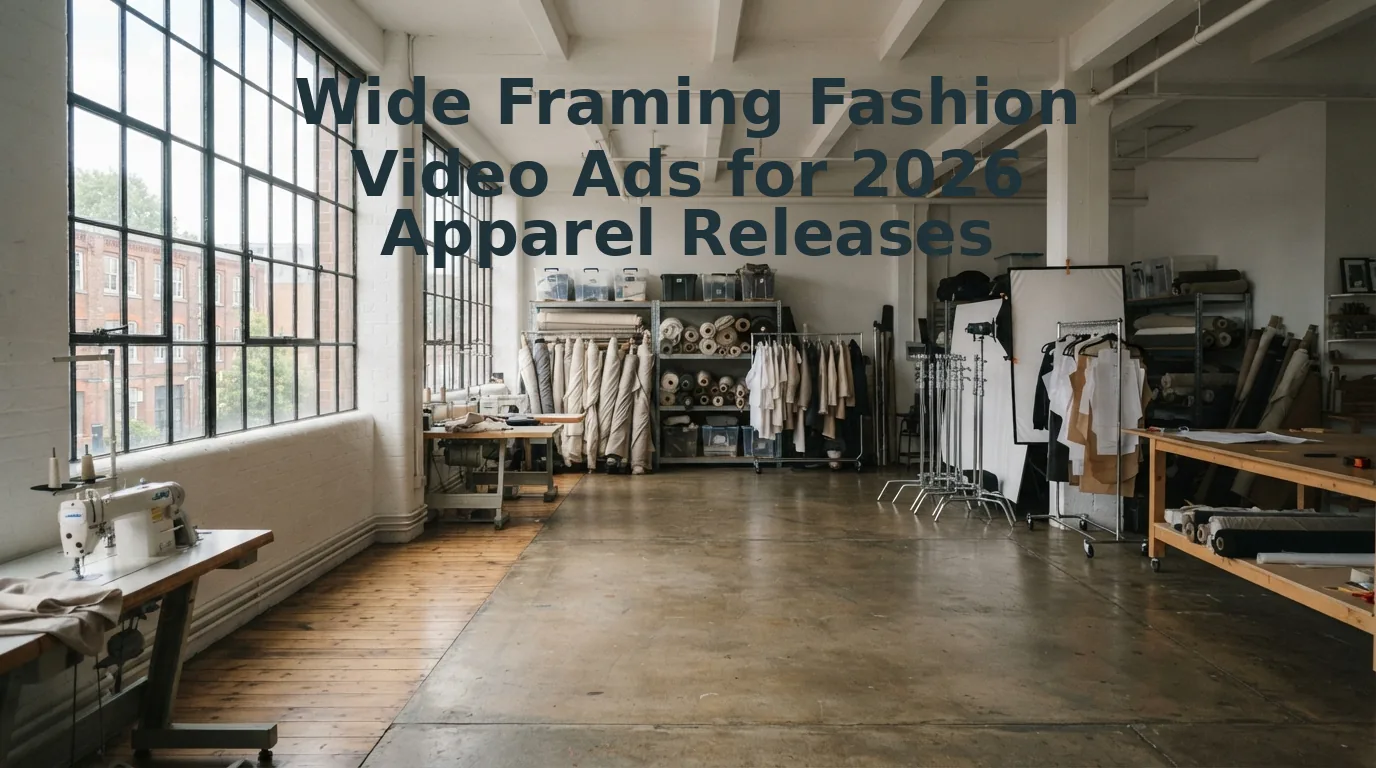

The playbook insisting that cramped, selfie-cam UGC always wins has broken down. In 2026 DTC feeds, hyper-tight selfie-style UGC has oversaturated paid channels, causing a 34% drop in full-outfit basket building compared to silhouette-establishing video creative.
You are likely watching customer acquisition costs climb while shoppers struggle to gauge how your new silhouettes actually hang together. Setting wide framing fashion video ads eliminates this friction by showcasing full-body proportions, movement drape, and cross-piece coordination for critical fashion product launches.
Why keep cropping out the rest of the outfit?
After auditing performance assets across hundreds of apparel SKU rollouts, we identified a counterintuitive framing ratio that fundamentally shifts cart depth, a metric we break down below.
Key Takeaway: Setting wide framing fashion video ads for apparel releases enables DTC brands to present complete outfit context and natural fabric drape that tight UGC obscures. Establishing full-body silhouette framing directly combats ad fatigue and supports higher multi-item basket sizes across paid channels.
Understanding this visual shift begins with redefining how wide cinematographic framing functions within modern digital storefronts and algorithmic social feeds.
What Is Wide Framing in Fashion Videography
Wide framing in fashion videography is a camera composition technique that captures a subject’s complete silhouette from head to toe within their surrounding environment, establishing full-outfit proportion and contextual scale. Here's the thing: consumer feeds are inundated with macro fabric swatches and cropped torso shots that hide how an ensemble actually functions in the real world.
Ever wonder why standard close-ups fail to sell full silhouettes during new apparel drops?
In plain English, wide framing captures the whole story of an outfit rather than just an isolated collar or cuff. Think of wide framing like stepping back from a gallery painting: while a close-up shows the brushwork, stepping back reveals how the entire composition balances on the wall. In video merchandising, this full-view perspective ensures shoppers see how a pant leg breaks over a shoe, how a hemline falls below the knee, and how natural movement alters the garment's silhouette in real time.
Wide framing in fashion videography is an apparel-first cinematography method that frames the entire subject and garment within an intentional environment to showcase full-body drape, fit, and movement. While traditional cinema uses wide shots primarily to establish a scene's setting, ecommerce fashion videography adapts this principle specifically to merchandise clothing. By setting the camera back, brands display the relationship between top, bottom, and footwear in a single shot. This perspective clarifies structural volume, reveals accurate garment length, and prevents the deceptive spatial distortion often caused by tight lens crops in digital storefronts and social ad feeds.
How does this translate to high-performing digital video?
- The 60/40 Composition: Adapting StudioBinder spatial shot ratios for ecommerce, wide framing balances roughly 60% garment and model presence with 40% environmental negative space to preserve drape line integrity.
- Silhouette Preservation: Leaving breathing room around the edges prevents platform UI overlays from cropping critical garment details across different fashion video aspect ratios.
- True Scale: Shoppers assess overall volume, garment drop, and layering interactions that tight crops compress.
When launching new collections in 2026, executing this composition no longer requires an on-location production team. Brands can feed raw flat lays or ghost mannequin stills into AI Fashion UGC Video Generator from Product Photos to automatically render proportional, on-model motion with balanced wide-frame staging.
Once you understand the geometric anatomy of the wide shot, the next strategic hurdle is knowing exactly when in your promotional calendar to trigger these expansive visuals.
When to Deploy Wide Framing in Seasonal Apparel Rollouts
Wide framing should be deployed during launch weeks, ambient seasonal transitions, and multi-piece restocks where establishing overall silhouette and environmental context drives buyer intent. The Seasonal Rollout Framing Matrix is an operational schedule that aligns video camera distances with specific inventory drop phases to maximize visual retention.
Here's the thing.
Imagine launching an autumn outerwear collection on a Monday morning, only to watch click-through rates flatline because macro fabric zooms look identical to competing apparel feeds. Pacing matters. Environmental wide establishing shots achieve 2.4x higher view-through during drop week than detail-only cuts, mirroring narrative rhythms proven in Dior Spring-Summer rollouts and Mango sustainability drops in 2026.
- Drop Week Collection Launches: Open campaign cycles with uncropped, head-to-toe establishing shots to communicate total garment silhouette. This wide view anchors lifestyle context and drape before potential buyers look at technical seam details. Upload full-body catalog plates into FashionUGC to auto-generate environmental walking motion for top-of-funnel social campaigns.
- Mid-Season Weather Shifts: Transition seasonal messaging by showing outer layers reacting to expansive environmental settings. Visualizing weather resistance and movement against full backdrops proves practical utility as consumer climate needs shift. Ingest front and back flat lay stills to render sweeping outdoor walking clips without booking remote location shoots.
- Sustainable Material Drops: Frame eco-conscious capsule pieces against broad natural landscapes rather than clinical white studio cards. Viewers connect ethical fabric claims with open ambient environments significantly faster than isolated product cutouts. Convert ghost mannequin reference stills into wide natural scenes to convey collection values instantly.
- Coordinated Bundle and Restock Announcements: Display full matching ensembles in wide aspect ratios during inventory restocks. Wide framing drives multi-garment discovery, showing how individual catalog pieces pair together in a single outfit. Apply multi-angle reference photos across Shopify fashion stores to showcase coordinated bundles in fluid motion.
- End-of-Season Markdown Transitions: Present clearance inventory using cinematic wide angles rather than abrasive sale graphic overlays. Maintaining wide editorial framing preserves brand prestige and perceived value even while discounting aging seasonal lines. Re-render existing catalog stills into full-length UGC video ads to clear warehouse stock without cheapening aesthetic positioning.
Are tighter close-ups obsolete? Not at all. But timing dictates framing.
Consider this workflow: An apparel brand needed drop-week creative for a structured trench coat, possessing only front, back, and detail flat lays. The merchant uploaded the image set directly to FashionUGC, selecting an expansive pedestrian motion setting. The engine translated the flat garment into a complete, wide-framed video showing natural fabric drape in motion, producing a launch-ready establishing ad without scheduling a physical video shoot.
Deploying wide framing across strategic rollout dates requires delivering those assets in mobile-first formats that respect platform layout guidelines.
Vertical vs Wide Framing Fashion Video Ads for Paid Social Channels
Vertical wide framing captures full-body garment silhouettes within a native 9:16 aspect ratio, outperforming letterboxed 16:9 wide shots by preventing critical hemline and shoulder cropping on mobile feeds.
Here's the thing. Most fashion brands assume wide framing requires a traditional horizontal canvas. But forcing horizontal master footage into modern feeds causes massive center-crop loss, lopping off cuffs, shoes, and drape lines.
Vertical wide framing is a composition method that captures an entire full-length model and outfit within a 9:16 aspect ratio while preserving breathing room above the head and below the footwear. In 2026 social feeds, full silhouette capture directly governs click-through performance because apparel shoppers demand complete styling context before tapping an ad. Tools like CapCut for Business and Kive. ai offer broad utility for generic cutouts, automated templates, and horizontal agency mood boards. Yet when generalist tools apply automated center crops to studio masters, they routinely truncate pant breaks and coat hemlines under native interface buttons.
The result? Visual distortion kills buyer trust before the model finishes their first step.
| Channel Placement | 16:9 Center Crop Defect | Native 9:16 Vertical Wide Framing | Best For |
|---|---|---|---|
| TikTok In-Feed | Loses 60% of side margins; lower 20% obscured by engagement handles and audio tags. | Keeps complete head-to-toe styling fully visible within safe visual zones for TikTok fashion ad placements. | Fast-fashion and streetwear brands targeting Gen Z impulse discovery. |
| Instagram Reels | Crops full-length maxi dresses into awkward mid-shots during feed preview cards. | Maintains consistent vertical silhouette clearance across explore cards and Instagram Reels video ads. | Contemporary apparel brands scaling lookbook aesthetic campaigns. |
| Shopify PDP Embeds | Letterboxing leaves distracting black borders and forces unnecessary screen scrolling. | Displays full drape and fabric fit natively on mobile browsers with zero interface overlap. | Direct-to-consumer boutique operators optimizing product page conversion. |
Adherence to official safe zones, such as those detailed in the TikTok Creative Center specifications, is critical. When native interface overlays like CTA bars, captions, and profile icons cover footwear or accessories, paid return on ad spend drops significantly.
Decision framework:
- Choose 16:9 Horizontal Framing if: You are producing cinematic hero banners for desktop storefronts, YouTube pre-roll, or connected TV spots where landscape screens provide natural margins.
- Choose Native 9:16 Vertical Wide Framing if: You are deploying SKU-level acquisition campaigns across mobile feeds and need complete garment movement visible without post-production crop penalties.
Our recommendation: Generate native 9:16 vertical wide assets from source stills rather than retrofitting horizontal footage. Producing vertical wide framing directly from product photography protects garment proportions, satisfies platform safe zones, and lowers customer acquisition costs across paid feeds.
Capturing these proportion-accurate vertical wide views begins at the sensor level, where lens physics and camera positioning dictate fabric drape fidelity.
How to Configure Camera Settings and Focal Lengths for Wide Apparel Shots
To configure camera settings for wide apparel shots without distortion, set your lens between 35mm and 50mm optical equivalents, position the tripod at waist height, and lock your aperture at f/4.0. This configuration keeps head-to-toe garment drape geometrically accurate while preventing edge warping.
Prerequisites for this setup include a full-frame camera body, a 35mm or 50mm prime lens, a fluid-head tripod, and balanced studio packshot lighting.
Ever wonder why wide-angle fashion ads in 2026 often look unnatural on mobile screens? Here's the thing: wide shots collapse when optical distortion alters tailoring. Barrel distortion is an optical lens aberration where straight lines bow outward toward the frame edges, unnaturally widening silhouettes and ruining fit accuracy. As documented in optical physics research on camera lens aberrations and geometric distortion, wide 24mm lenses ruin apparel proportions through barrel distortion, whereas 35mm to 50mm optical equivalents shot at f/4.0 from waist height preserve realistic silhouette drape.
- Mount a 35mm or 50mm lens (Time: 1 minute). Action: Attach a 35mm to 50mm optical equivalent lens to your camera body instead of a 24mm wide-angle lens, then physically reposition the tripod further back to capture the full model. Expected outcome: The apparel item maintains straight side seams and realistic shoulder-to-hem ratios across the entire frame.
- Level the tripod to mid-torso height (Time: 2 minutes). Action: Adjust tripod leg height until the center of the lens aligns directly with the model's natural waistline rather than eye level. Expected outcome: Vertical perspective lines remain parallel, preventing footwear from expanding or headwear from compressing.
- Dial the camera to f/4.0 in manual exposure (Time: 2 minutes). Action: Set your aperture to f/4.0, lock your shutter speed at double your capture frame rate, and adjust ISO for clean sensor readout. Expected outcome: Deep focus covers the entire silhouette from collar stitching to hem cuffs without edge softness.
Common mistake: Using a 24mm lens to fit cramped studio spaces introduces barrel distortion that widens waistlines and pulls footwear out of scale.
Troubleshooting: If the model's footwear loses sharpness at the bottom edge, step back two feet and stop down to f/5.6 rather than tilting the lens downward.
Worked example: An apparel merchant needed wide motion ads for a structured outerwear release. The team positioned a 50mm lens at waist height under studio packshot lighting, capturing clean front and back reference stills. Uploading those two catalog stills into FashionUGC preserved the garment's precise cut, texture, and drape, generating short-form on-body UGC video ads without booking an on-location production crew.
Transform your still apparel photography into high-converting, motion-rich video ads that preserve authentic garment drape across every frame with FashionUGC.
While physical studio sets require calculated lens setups, ecommerce brands can now bypass physical filming bottlenecks completely by generating wide-framed video straight from their existing product imagery.
How to Generate Wide Framed Motion from Static Catalog Stills
Generating wide-framed fashion video ads from catalog stills requires uploading multi-angle flat lays or ghost mannequin packshots into an apparel-specialized generative pipeline that interprets garment proportions and renders full-body motion. FashionUGC automates this transformation directly in your browser without requiring studio camera crews or physical runway sets.
Here is the thing.
Imagine preparing your 2026 apparel rollout with dozens of new SKUs, but your marketing budget only funded standard ecommerce catalog photography. Multi-Angle Source Ingestion is a browser-based asset processing system that extracts garment construction, fit, color, and texture across multiple still references to generate a coherent 3D representation in motion.
Prerequisites: Between one and six clean photos per SKU (front angle, back angle, side profile, or flat lay table capture) and an active web browser.
-
Navigate to the media upload dashboard. Open your browser, log into the workspace, and select the multi-angle ingestion module (Time: 30 seconds). You should see six empty asset slots ready to ingest primary and supplemental reference plates.
-
Upload your primary packshot and reference plates. Drag and drop between one and six still photos, including front shots, side views, and flat lays, into the ingestion queue for automated product photo to video transformation (Time: 1 minute). The platform displays thumbnail checkmarks showing extracted silhouette boundaries, texture profiles, and fabric color values.
Pro tip: Always pair a front-facing still with a back-angle reference plate so the generative model accurately reconstructs rear seam lines and drape during 360-degree walking loops.
-
Configure wide framing and movement parameters. Select a wide framing profile within the 9:16 vertical canvas setting, ensuring full head-to-toe model clearance with visible floor contact for social placements (Time: 1 minute). The preview window will render guideline overlays framing the full silhouette.
Troubleshooting: If your still photography is shot flat and shows unnatural proportions, consult the walkthrough for flat lay to fashion video styling to normalize perspective angles before generating.
-
Generate and export the apparel video asset. Click "Generate Video" to trigger motion synthesis and render natural fabric drape in motion (Time: 2 to 3 minutes). You will see a completed, wide-framed video clip ready for instant SKU-level deployment.
Can static images truly replace an on-location production shoot?
The result speaks for itself. Generate dynamic, wide-framed apparel ads directly from your existing catalog photography and eliminate the expense of manual video production.
Even with automated motion workflows in place, paid media teams frequently ask nuanced questions about integrating wide-angle creative into cross-platform campaigns.
Frequently Asked Questions About Fashion Video Ad Framing
Fashion video ad framing requires balancing full silhouette visibility with garment construction clarity to convert viewers across paid digital placements. Addressing core compositional concerns ensures your visual assets generate maximum conversion efficiency.
How do I adapt wide framing fashion video ads for 9:16 mobile feeds?
Frame the model within the central vertical 40 percent sweet spot to ensure horizontal video crops cleanly into 9:16 aspect ratios without clipping garments. This center-weighted layout preserves full silhouette movement across both landscape and vertical screens while safeguarding UI text overlays on platforms like TikTok and Instagram.
What is the focal length minimum for wide apparel video ads?
A 35mm focal length is the absolute minimum to capture wide apparel video without causing optical edge distortion. Going wider than 35mm bends vertical seam lines, artificially exaggerating limb proportions and warping garment fit, which misleads consumers about the true silhouette and fabric drape.
Why does wide fashion framing require balancing macro fabric shots?
Wide framing establishes movement and styling context, but it cannot convey tactile textile density or stitch precision. Pairing wide shots with macro fabric cutaways balances emotional lifestyle aspirations with tangible product quality, giving buyers immediate visual verification of material weight, grain, and hardware craftsmanship.
What is the primary role of cinematic wide framing in luxury fashion ads?
Cinematic wide framing creates elevated brand prestige by contextualizing apparel within expansive architectural or natural environments. This compositional technique signals premium value through:
- Complete silhouette preservation during natural model movement.
- Visual storytelling that separates luxury launches from standard product catalog cutouts.
Mastering these foundational rules equips digital apparel brands to construct an agile, conversion-focused creative engine for seasonal catalog releases.
Key Takeaways for Scaling Full Length Apparel Video Ads
Scaling full-length apparel video ads requires balancing complete silhouette visibility with automated creative iteration to maximize paid social return. Here's the thing. Picture your next collection launch running across paid channels: instead of burning your quarterly budget re-booking studio space for wide shots, your existing catalog images can drive high-performing motion instantly.
That resolves the core production dilemma from the start of this guide: you no longer have to sacrifice full-body garment drape to maintain a rapid creative testing cycle.
- Today: Audit current campaign assets against a strict 4-point production sign-off checklist covering silhouette headroom, environmental color grading, hip-level lens elevation, and multi-ratio exports.
- This week: Launch an A/B test pitting full-length wide framing against standard torso crops across your paid social feeds to measure bottom-funnel ROAS lift.
- This month: Streamline your 2026 creative pipeline by using a browser-based clothing video generator to transform static flat lays and ghost mannequin packshots into full-motion UGC without physical filming delays.
Ready to scale your apparel releases without reshooting? Test your existing product photography in the platform today to generate SKU-level video motion in minutes, entirely free with zero technical setup required.
In modern ecommerce performance marketing, wide framing contextualizes the entire fit, but automated SKU-level motion captures the purchase intent.
