


Your best-performing ad creative just hit fatigue, and the fix everyone recommends, a full reshoot, costs more than the campaign's entire testing budget. That's the exact moment most DTC apparel brands discover that multi-angle clothing photos for product listing video were sitting in their DAM the whole time, already paid for and ready to work harder.
You're not wrong to feel stuck. Catalog photography is expensive, reshoots are slower than your creative testing calendar, and static PDP images feel like dead assets once the product page is live. But the bottleneck isn't your photo library, it's what you've been asking those photos to do.
This guide breaks down exactly how photo count and angle coverage change what an AI fashion UGC video generator can see, reconstruct, and render. You'll learn which angles feed garment accuracy, when a single photo is genuinely enough, and how to map photo count to garment complexity before you generate anything.
One finding will likely surprise you: adding more photos doesn't always improve output, sometimes it just gives the model more chances to guess wrong. We'll get to why in the accuracy trade-off section.
FashionUGC turns existing catalog packshots, detail angles, and flat lays into 9:16 vertical motion without a reshoot, but the number of photos you upload changes what the generator can actually see, and forces it to infer what it cannot see.
What Multi-Angle Input Actually Changes in a Generated Video
A multi-angle input set is a collection of still photos showing the same garment from different viewpoints, which the generator uses to reconstruct garment construction, fit, and drape before animating it into motion. The more complete the angle coverage, the less the model has to invent.
Think of it like a police sketch artist interviewing witnesses. One witness gives you a rough likeness. Five witnesses who saw the subject from different positions let the artist fill in features with confidence instead of guessing. Each photo is a witness, and every missing angle is a detail the artist must imagine.
At the simplest level, a front-facing photo tells the generator what the garment looks like head-on. A front plate is the primary reference image showing silhouette, neckline, and front drape, the first thing the model reads to establish garment identity. Add a back plate, and the model now understands seam placement, back drape, and collar construction, which prevents it from rendering a generic smooth back on a garment that actually has a yoke or pleat.
The intermediate layer is where fit accuracy lives. A side plate captures fit through the torso, sleeve shape, and hem fall, the angles that determine whether a dress hangs straight or flares, whether a jacket pulls at the button. Without side coverage, the generator defaults to a standard body block, which is why single-photo outputs often look like the garment is floating on a mannequin rather than worn by a person.
At the advanced end, a detail closeup, fabric texture, hardware, stitching, fabric weight, gives the model the micro-information that makes motion believable. A closeup of a chunky knit tells the generator how the fabric should flex and catch light. A closeup of a zipper pull tells it where the hardware sits and how it moves. FashionUGC ingests between one and six photos and extracts garment construction from each plate, layering these references into a single motion sequence.
For a deeper breakdown of which source images produce the cleanest AI motion, see this guide to product photos for AI fashion video.
Here's the mechanism competitors rarely explain: when an angle is missing, the generator doesn't leave that area blank, it infers it from the closest available reference and the model's training data. A missing back plate means the back of the garment is a statistical guess. A missing side plate means fit is approximated from front and back silhouettes alone. The output still looks plausible, which is exactly what makes missing-angle errors hard to catch until you compare the video against the physical garment.
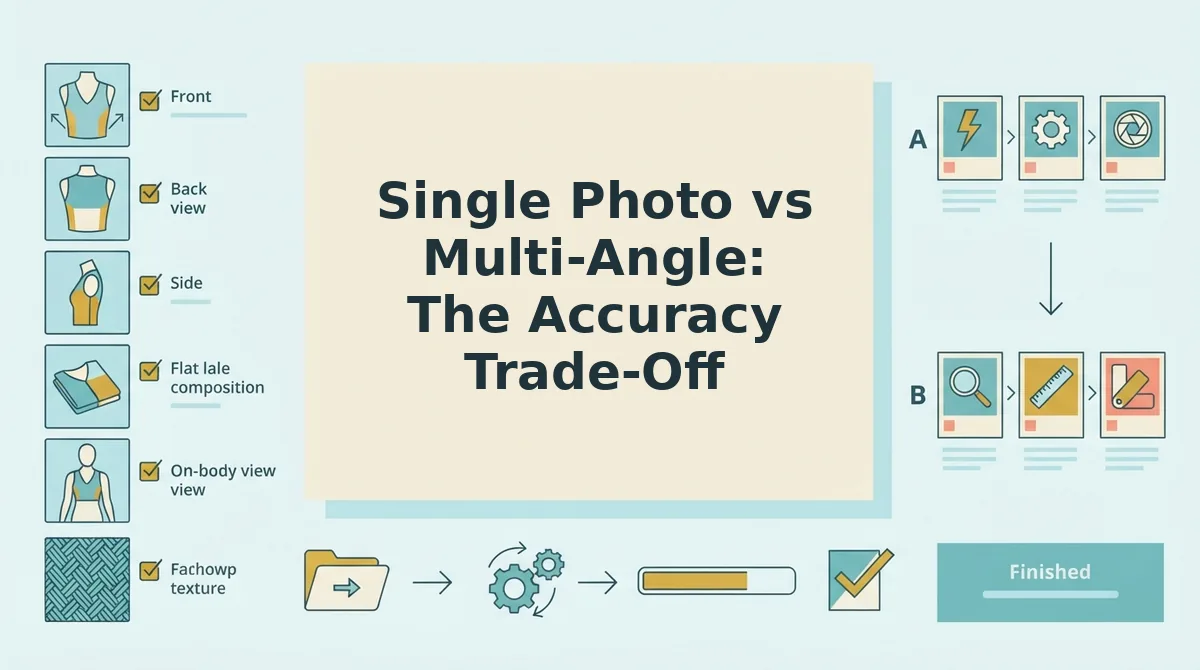
Single Photo vs Multi-Angle: The Accuracy Trade-Off
A single photo can produce a usable PDP video, but it forces the generator to infer depth, back construction, and side fit from one viewpoint, while multi-angle sets give the model measured reference data for each garment face. The trade-off is speed and simplicity versus garment fidelity.
Single-photo workflows have a legitimate place. A flat lay is fast to shoot, requires no model, and works fine for simple silhouettes where there's little to get wrong. But a single flat lay lacks depth data, so draping and fit are inferred rather than measured, the model has to guess how the fabric falls on a body because it has never seen the garment on one. A single ghost mannequin shot preserves silhouette better than a flat lay, but still leaves back details and side fit to inference, which matters for any garment with construction interest.
Multi-angle wins for garment accuracy because each additional plate removes one category of guesswork. The generator stops inferring and starts measuring. That's the entire difference: inference produces plausible fabric, measurement produces your actual fabric.
| Input Type | What the Model Sees | What It Must Infer | Best For |
|---|---|---|---|
| Single flat lay | Front design, print, color | Depth, drape, fit, back, sides | Graphic tees, simple tops, quick tests |
| Single ghost mannequin | Silhouette, front construction | Back details, side fit, fabric movement | Basic dresses, shirts with clean backs |
| Multi-angle packshot (3-4 photos) | Front, back, side, silhouette | Minor detail, fabric micro-texture | Structured garments: blazers, coats, tailored pieces |
| Full set (5-6 photos with detail closeups) | All faces plus texture, hardware, fabric weight | Minimal, mostly lighting and environment | Draped dresses, textured knits, hardware-heavy pieces |
The decision matrix is straightforward: a simple tee needs one to two photos, a structured blazer needs three to four, and a draped dress with complex fabric behavior needs five to six. The complexity of the garment, not the quality of your photography, should drive photo count.
For flat lay source images specifically, this flat lay to fashion video guide covers what works and what breaks. If you're working from ghost mannequin photography, the ghost mannequin photos to PDP video breakdown explains how to compensate for the missing back and side data.
FashionUGC accepts between one and six photos per garment, so you can start with what you have and add angles as garment complexity demands, no reshoot required to test the difference.
That decision matrix raises the obvious next question: how many photos does your specific garment actually need?
How Many Photos Should You Upload? A Garment-by-Garment Guide
Photo count should match garment complexity, not catalog convenience. Simple silhouettes need one or two clean plates; structured or draped pieces need three to six angles to avoid fabric distortion and missing detail in generated motion.
Prerequisites: A FashionUGC account, source photos at 1200px minimum on the shortest edge, and consistent lighting across every plate you plan to upload. If your lighting varies between shots, upload fewer photos rather than more. Section 5 explains why.
- Open the FashionUGC upload panel and select your garment category. Choose the closest match from the category dropdown. Tee/Tank, Knit, Button-Down, Blazer/Structured, Dress, or Outerwear. The generator weights motion templates differently per category, so this selection matters more than photo count alone. You should see the recommended photo range appear next to the category name.
- Upload 1-2 photos for tees, tanks, and simple knits. A front flat lay plus one fabric detail shot is sufficient. These garments have no collar structure, lapel, or drape that the generator needs to reconstruct. Expected outcome: clean motion with minimal fabric warping, and generation completes faster than multi-angle jobs.
- Upload 3-4 photos for button-downs, blazers, and structured pieces. Include the front packshot, back view, and one collar or cuff detail angle. Structured garments have seams, plackets, and lapels that the generator must hold in place during motion. Expected outcome: collar and button alignment stays stable through the full clip.
- Upload 5-6 photos for dresses, outerwear, and draped garments. Add side profiles and a hem or drape detail to the front, back, and detail shots. Draped fabric moves non-linearly, and the generator needs multiple reference points to simulate believable flow. Expected outcome: hemline and drape motion looks natural rather than stretched or smeared.
- Match your capture workflow to your photo count. If you only have flat lay table captures, upload the front flat lay plus one detail shot and accept simpler motion. If you have front/back/side packshots from a ghost mannequin or model shoot, upload all available angles. The six-angle garment photo workflow shows the exact capture sequence for brands that want maximum motion fidelity.
- Review the preview frame before generating. Check that the garment edges are visible in every uploaded plate and that no photo is cropped at the hem or sleeve. You should see a green checkmark next to each accepted plate. If a plate shows a yellow warning, replace it before generating, a cropped plate degrades output more than omitting it.

The Hidden Risk: Inconsistent Plates Degrade Output
Inconsistent plates are source photos that differ in lighting, angle type, or resolution within a single upload set, and they confuse the generator more than a single clean image ever would. More photos only help when the photos agree with each other.
Think of the generator like a compositor assembling a scene from reference frames. If one frame is lit with soft studio strobes and the next is a phone photo under fluorescent retail lighting, the compositor has to reconcile two different color temperatures and shadow directions. The output shows the compromise: washed-out fabric, mismatched shadows, or a garment that shifts color mid-clip.
Lighting consistency is the first failure point. Two plates shot at different white balances force the generator to average the color cast, which dulls saturated fabrics and makes neutrals look muddy. Before uploading, compare plates side by side at thumbnail size, if the background brightness differs visibly, the set is inconsistent.
Angle consistency matters next. A set that mixes flat lay plates with ghost mannequin packshots asks the generator to infer a three-dimensional form from two incompatible perspectives. All flat lay or all ghost mannequin works; mixed sets produce warped silhouettes and floating seams. The lighting consistency for garment photos guide covers the exact setup to keep plates matched.
Resolution and sharpness minimums are the final gate. Every plate should be at least 1200px on the shortest edge and free of motion blur. One soft plate in a five-photo set drags the entire output down to the softest input, because the generator cannot reconstruct detail that was never captured.
The contrarian takeaway: a single clean flat lay at consistent exposure and full sharpness often outperforms a six-photo set with mixed lighting and mixed angle types. When in doubt, upload fewer, better-matched plates.
FAQ: Multi-Angle Clothing Photos for Product Listing Video
Multi-angle clothing photos are multiple still images of one garment captured from different perspectives, front, back, side, and detail, that an AI video generator uses to reconstruct believable motion for product listing videos.
Should I use multiple angles or one photo for a clothing product listing video?
Use multiple angles when the garment has structure or drape, button-downs, blazers, dresses, and outerwear benefit from three to six plates. A single clean photo works for tees, tanks, and simple knits. The deciding factor is whether the generator needs to reconstruct collars, lapels, or fabric flow that one angle cannot show.
How many photos does an AI clothing video generator need?
Most AI clothing video generators accept one to six photos per garment. Simple silhouettes need one or two; structured pieces need three or four; draped garments like dresses and outerwear need five or six. Uploading more than six rarely improves output and increases the chance of inconsistent plates degrading the result.
Can I use flat lay photos for a product listing video?
Yes, flat lay photos work for product listing videos, especially for simple garments. A front flat lay plus one fabric detail shot produces clean motion for tees and knits. For structured or draped pieces, flat lays alone miss side and back information, so pair them with packshots when available. See the how many photos for product listing video guide for category-specific counts.
What happens if my photos have different lighting?
Different lighting across plates forces the generator to average color temperature and shadow direction, which dulls fabric color and creates mismatched shadows in the output. A single clean plate with consistent exposure often outperforms a multi-photo set with mixed lighting. Match white balance and background brightness before uploading.
Do I need a 360-degree photo set for a listing video?
No, a 360-degree photo set is not required. Five to six well-matched angles, front, back, both sides, and one or two details, provide enough reference for believable motion. A full 360 set adds capture time without proportionally better output for most apparel categories.
Ready to test your plates? Upload multi-angle plates and generate.
Upload Multi-Angle Plates and Generate
The decision matrix is settled: multi-angle input produces measurably better garment accuracy, and the consistency warning from earlier sections is the only real constraint. Upload 3-6 consistent plates for structured garments. One or two photos remain acceptable for tees and solid-color basics.
Here is the synthesis that ties everything together:
- Structured garments demand multi-angle plates. Dresses, outerwear, tailored pieces, and anything with drape or hardware need front, back, and side coverage to render correctly.
- Simple silhouettes tolerate single-photo input. Solid-color tees and basics generate acceptable motion from one clean packshot.
- Consistency beats quantity. Six mismatched plates degrade output faster than three matching ones.
The next step is straightforward: gather your existing catalog photography, verify lighting and background consistency across angles, and turn product photos into video with the multi-angle upload flow. Expect visibly tighter garment structure, fewer fabric distortions, and motion that holds up at full-screen playback on product pages.
Multi-angle plates are not a luxury input for fashion video generation, they are the difference between a video that looks like a render and one that looks like a garment.
