
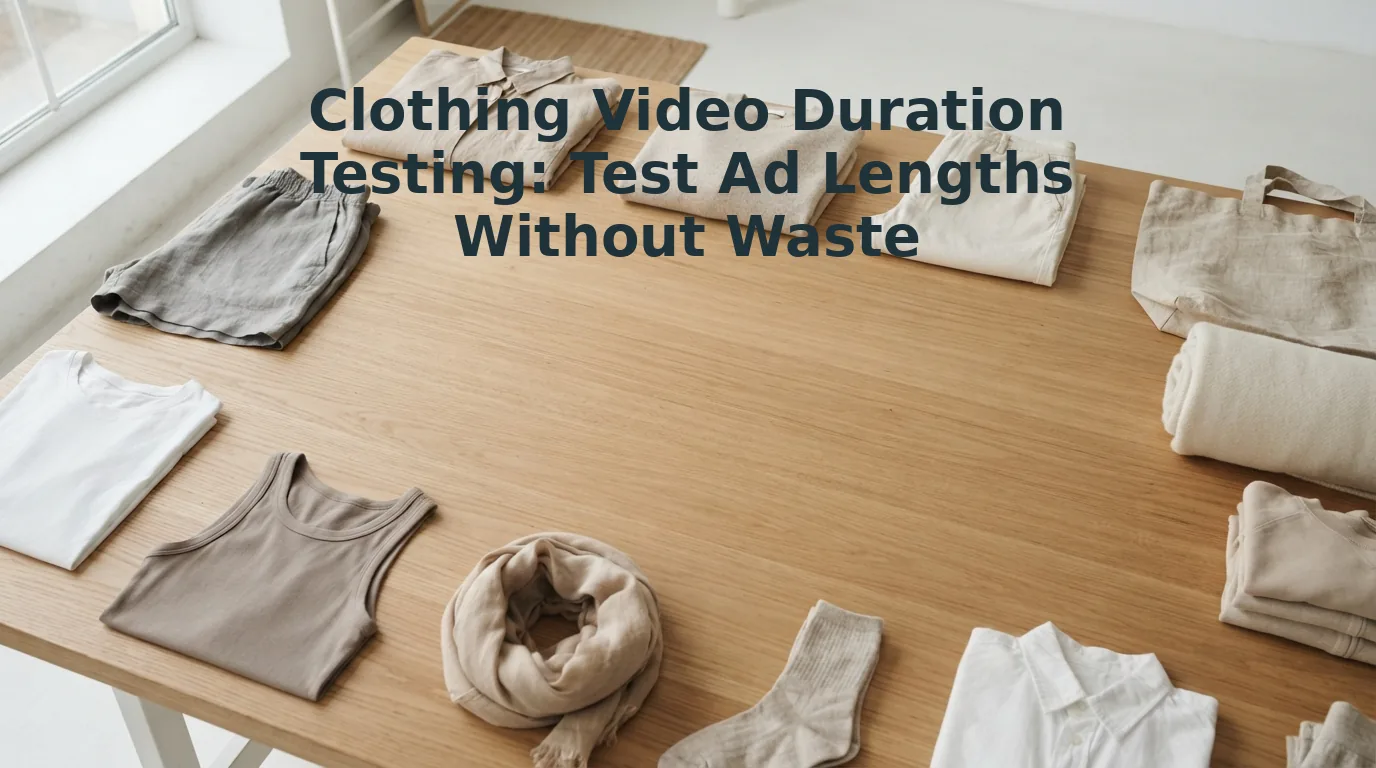

You already own the product photography, the flat lays, the on-body shots, the detail angles, yet every duration variant means another shoot day, another retoucher, another invoice. Clothing video duration testing doesn't require separate shoots. Upload one to six garment photos once, set the duration parameter per variant, and test 6-second, 15-second, and 30-second versions from the same source plates.
Here's the part most teams miss: the duration control changes what the generator emphasizes, and that changes what you can actually test. A 6-second cut prioritizes the hook. A 30-second cut builds a full garment story with fabric close-ups and fit motion. You're not just testing length; you're testing which narrative layer converts.
This guide covers what clothing video duration testing actually means, platform-specific benchmarks for apparel ads, and how to generate duration variants from one source set without duplicating production work. One finding ahead may surprise you: the shortest video is rarely the cheapest to make work.
What Clothing Video Duration Testing Actually Means
Clothing video duration testing is the practice of generating multiple video lengths from the same garment source photos and measuring which length best drives hook rate, hold rate, and conversion for a specific apparel SKU. It is a creative decision, not a media-buying afterthought.
Think of duration like a tailor adjusting hem length. The fabric is identical, same garment, same photos, same lighting. But a cropped 6-second cut shows only the collar and shoulders, while a 30-second cut reveals drape, stitching, and how the piece moves on a body. The material doesn't change; what the viewer sees does.
At the simple level, duration testing means exporting three lengths from one upload set and running them against each other. At the intermediate level, you map each length to a narrative layer: 6 seconds for the hook, 15 seconds for hook plus motion, 30 seconds for the full garment story. At the advanced level, you test duration against specific SKU attributes, a textured knit may need 30 seconds to register fabric detail, while a graphic tee may convert in 6.
Most competitors treat duration as a media-buying variable you adjust after the creative is locked. That's backwards for apparel. A dress with ruching, a jacket with hardware, a pant with a specific drape, these details need time on screen to register. Duration determines whether the viewer ever sees the selling detail at all.
Duration Benchmarks by Platform for Clothing Ads
TikTok clothing ads perform best between 21 and 34 seconds; Instagram Reels between 15 and 30 seconds; YouTube Shorts between 15 and 60 seconds. These ranges reflect how each platform's algorithm rewards watch time and completion rate for apparel content specifically.
Generic platform averages don't tell the full story for fashion. Garment motion needs 3-5 seconds to register, a twirl, a sleeve movement, a fabric sway. Fabric detail needs dedicated close-up time to communicate texture and quality. Fit demonstration needs full-body framing time so the viewer can judge proportion. A 6-second cut can hook, but it cannot do all three.
That said, competitor platforms deserve credit where they earn it. Native editing tools like TikTok's built-in trimmer and Meta's Advantage+ creative are fast for quick cuts, and they're free. What they lack is apparel-specific source control, you're still trimming footage someone had to shoot. A generator that builds motion from existing product photos removes the bottleneck before editing even begins.
| Platform | Optimal Clothing Ad Duration | Why It Works for Apparel | Best For |
|---|---|---|---|
| TikTok | 21-34 seconds | Long enough for motion + detail; short enough for completion rate | DTC brands running Spark Ads on trending sounds |
| Instagram Reels | 15-30 seconds | Balances hook speed with fit demonstration time | Shopify merchants retargeting feed engagers |
| YouTube Shorts | 15-60 seconds | Allows full garment story with fabric close-ups | Boutique operators building channel authority |
The takeaway: match duration to the detail your garment needs to sell, not to the platform's minimum. Next, how to generate every duration variant from one source set.
How to Generate Duration Variants from One Source Set
You can produce 6-second, 15-second, and 30-second clothing video variants from a single upload of one to six garment photos, no reshoots, no additional photography, no extra production budget. The workflow below uses the FashionUGC clothing video generator to turn static plates into motion cuts at different lengths.
Prerequisites: You need three to six high-resolution photos of the same garment (front, back, flat lay, and a fabric detail shot work best), a FashionUGC account, and a clear idea of which platform each variant will run on. If you only have flat lay images, start with the flat lay to fashion video guide first.
- Upload your source photos. Click the Upload button and select three to six images of the same garment. Include at least one front angle and one detail shot. You should see thumbnail previews appear within 10 seconds, each labeled with its detected angle type.
- Open the Duration panel. Click Settings, then select Duration. You will see preset options for 6s, 15s, and 30s, plus a custom field. Choose 15s first, this is your control variant.
- Set the motion emphasis for the 15s control. Select the front-angle photo as your opening frame, then toggle garment motion to medium. The preview should show the neckline and hem animating within the first two seconds. Click Generate. You should see a green checkmark when the render completes, typically in under 60 seconds.
- Generate the 6s hook variant. Return to the Duration panel and select 6s. Keep the same opening frame but set motion emphasis to high. The shorter cut should open on the neckline and hem motion immediately, with no slow build. Click Generate and confirm the render finishes with a green checkmark.
- Generate the 30s story variant. Select 30s and set motion emphasis to low. This variant should add fabric drape movement and a side-profile fit sequence that the shorter cuts skip. Click Generate and wait for the green checkmark.
- Review all three variants side by side. Open the Review tab and play each cut back to back. Confirm that the only difference between them is duration and pacing, the source photos, music, and caption must remain identical. Download all three files to your device before publishing anywhere.
Worked example: A Shopify merchant with ghost mannequin plates of a single dress generates 6s, 15s, and 30s variants from the same three photos. The 6s variant opens on the neckline and hem motion; the 15s adds a mid-cut fabric flow; the 30s variant adds fabric drape and side-profile fit. All three come from the same source set, zero new photography required.
Pro tip: Start with 15s as your control. It is long enough to show garment motion and short enough to hold the hook. Generate 6s and 30s as test cells from the same plates, then let performance data tell you which length your audience rewards. If you are working from catalog packshots rather than lifestyle imagery, the product photo to video workflow covers the same variant-generation process for ecommerce product pages.
How to Run the Test Without Burning Budget
Duration testing fails when brands change more than one variable at a time. The discipline below keeps your ad spend focused on the single question you are actually testing: does video length move the metrics that matter?
- Lock every variable except duration. Use the same source photos, same music track, same caption, same audience targeting, and same placement for every variant. If the 6s cut uses a different hook line than the 30s cut, you are no longer testing duration, you are testing creative direction, and the data will mislead you.
- Ignore completion rate as your primary metric. Completion rate is the metric that lies to clothing brands. A 6s cut can hit 90% completion while driving zero purchases; a 30s cut can hit 20% completion and still win on cost per acquisition. Track hook rate, hold rate, click-through rate, and CPA instead.
- Set a minimum spend threshold before judging a winner. Do not kill a variant after $20 of spend. Give each duration cell enough budget to reach statistical relevance for your account's typical CPA, for most DTC apparel brands, that means at least 50 to 100 clicks per variant before you declare a winner.
- Run all variants in the same ad set. Keeping 6s, 15s, and 30s cuts in one ad set lets the platform's delivery algorithm rotate them against the same audience pool. Splitting them into separate ad sets fragments your budget and slows the learning phase.
- Pause losers, do not delete them. A 6s variant that underperforms in week one can win in week three after audience fatigue sets in on the 15s control. Pausing preserves the learning data and lets you reactivate without re-entering the learning phase.
- Reuse the winning duration across your catalog. Once a duration wins for one garment, apply that length to your next five product videos before re-testing. Duration preference tends to be consistent within a brand's audience, so you can scale the insight without re-running the full test on every SKU.
- Document the test setup before you launch. Write down the source photo set, music track, caption, audience, placement, and duration for each variant. If the test runs for two weeks, you will not remember which cut used which hook, and undocumented tests are unrepeatable tests.
Duration and Ad Fatigue in Clothing Campaigns
Ad fatigue is the decline in campaign performance that occurs when an audience sees the same creative too many times and stops responding to it. Duration variants are one of the cheapest ways to delay that decline without commissioning new photography.
Think of a garment video like a song. The same melody played at the same tempo every time becomes background noise. Change the tempo, shorten the intro, extend the bridge, cut the outro, and the same song feels new. A 6s hook cut, a 15s motion cut, and a 30s story cut generated from the same source photos work the same way: the garment is identical, but the pacing and emphasis shift enough to reset audience attention.
In clothing campaigns, fatigue often comes from visual repetition, not message repetition. Duration changes the rhythm of that repetition. The 6s cut leads with the neckline and hem motion; the 30s cut builds to fabric drape and side-profile fit. The same dress, three different viewing experiences, one source set. Rotating these variants in the same ad set extends the campaign's useful life before a new shoot is required.
For answers to the most common questions about duration testing, see the FAQ below.
FAQ: Clothing Video Duration Testing
Clothing video duration testing compares the same garment creative at different lengths, typically 6, 15, and 30 seconds, to find which drives the lowest cost per acquisition before scaling spend.
How do I test different clothing video ad durations without wasting budget?
Generate duration variants from one source photo set instead of filming separate shoots, then run them in a single ad set with a small daily cap. Kill underperformers after 3-5 days or 10,000 impressions, whichever comes first, and reallocate spend to the winner.
What duration actually works for clothing ads on TikTok vs Reels vs Shorts?
TikTok clothing ads perform best at 9-15 seconds, while Reels and Shorts tolerate 15-30 seconds when the hook lands in the first 2 seconds. Platform-native pacing matters more than a universal length, so test per platform rather than assuming one duration transfers.
Can I test 6-second, 15-second, and 30-second versions of the same clothing video without filming three times?
Yes. Upload 1-6 garment photos once into a clothing video generator, set the duration parameter per variant, and output 6s, 15s, and 30s cuts from the same source plates. The motion, transitions, and framing stay consistent across all three lengths.
How long should fashion video ads be?
Fashion video ads should be 9-15 seconds for cold audiences on TikTok and Reels, and 15-30 seconds for retargeting or product-page placements where viewers already have purchase intent. Match duration to funnel stage rather than forcing one length everywhere.
Why does my 30-second clothing ad get more views but fewer purchases?
Longer videos accumulate more partial views but lose viewers before the product reveal or CTA, which depresses click-through and conversion. A 15-second cut that shows the garment by second 3 typically outperforms a 30-second version that buries the product.
Start Testing Durations Without a Reshoot
Duration testing for clothing video ads does not require separate shoots. Upload 1-6 garment photos once, set the duration parameter per variant, and test 6s, 15s, and 30s versions from the same source plates. The bottleneck was never the footage, it was the production workflow.
Review your current duration mix across active campaigns. Generate a 15-second control from existing product plates using the clothing video generator, then launch the duration test workflow with a capped daily budget and a 3-5 day kill window.
Every apparel brand already owns the raw material for duration testing. The brands that win are the ones who stop waiting for a reshoot and start iterating on length today.
