

Apparel brands burn thousands in creative testing by running the same clothing video ad length across TikTok, Reels, product pages, and paid feed, then wonder why ROAS collapses on three of the four placements. A 30-second garment walkthrough that converts on a product detail page is dead weight in a TikTok feed where the scroll happens in under two seconds.
You're not wrong to reuse footage. You're wrong to reuse duration. The same photo set can and should produce every length your media plan requires, and the fix is a placement-duration matrix, not another reshoot.
This guide gives you the exact clothing video ad length ranges for five placements, the hook windows that matter per platform, and the apparel-specific reason the popular "15-second rule" quietly kills detail-heavy listings. You'll also see how a single upload of one to six product photos can generate every duration in the matrix without a single reshoot, a workflow most competitors don't offer because they treat fashion video like generic product video.
One finding ahead: the shortest ad is not always the cheapest to scale. The reason sits in how fabric drape and fit visibility interact with platform retention curves, resolved in the platform breakdown below.
How Long Should Clothing Video Ads Be? The Short Answer
Clothing video ad length is the total runtime of a promotional apparel video, and the correct duration depends on placement: 10-15 seconds for TikTok and Instagram Reels, 15-30 seconds for paid feed placements, and 20-30 seconds for ecommerce product pages.
There is no single ideal clothing video ad length. A 12-second cut that wins on TikTok will underperform on a Shopify product page where shoppers expect to see fit, fabric, and motion before adding to cart. The reverse is also true: a 25-second product page walkthrough gets skipped in-feed before the hook pays off.
Think of duration like garment sizing. A medium t-shirt fits most people, but nobody sells only mediums. Your media plan needs multiple lengths cut from the same source footage, and with a tool that generates motion from one to six still photos, you can produce every size from one photo set instead of scheduling reshoots per placement.
The popular "15-second rule" deserves scrutiny. It originated from generic product video testing, where a single object on a clean background needs only a few seconds to register. Apparel is different. Fabric drape, fit across body types, stitching detail, and how a garment moves require visual time to communicate. A 10-second video can show a dress exists. A 20-second video can show why it fits. For detail-heavy listings, lace, embroidery, structured tailoring, the shorter cut actively suppresses the information that drives purchase confidence.
Start with a 15-second master cut for social feeds. Then extend to 20-30 seconds for product pages by adding detail shots and fit angles from the same photo set. If you're working from flat lay photography, the workflow for converting flat lay to fashion video applies the same principle: one source, multiple durations, zero reshoots.
Clothing Video Ad Length by Platform
Each platform rewards a different clothing video ad length: TikTok and Reels perform best at 10-15 seconds, YouTube Shorts at 15-20 seconds, product pages at 20-30 seconds, and paid feed placements at 15-30 seconds depending on the offer and creative objective.
| Placement | Recommended Length | Hook Window | Content Focus |
|---|---|---|---|
| TikTok | 10-15 seconds | First 1-2 seconds | Motion, transformation, on-body energy |
| Instagram Reels | 10-15 seconds | First 1-2 seconds | Lifestyle context, quick fit reveal |
| YouTube Shorts | 15-20 seconds | First 2-3 seconds | Garment detail, fabric close-ups, fit angles |
| Product Page (PDP) | 20-30 seconds | First 3-5 seconds | Full garment walkthrough, 360° views, detail shots |
| Paid Feed (Meta, TikTok Ads) | 15-30 seconds | First 1-3 seconds | Offer-led hook, social proof, UGC-style motion |
TikTok rewards immediacy. The 10-15 second sweet spot works because the platform's retention curve punishes any creative that doesn't deliver a payoff within the first two seconds. For TikTok clothing video ads, lead with motion, a garment being worn, twirled, or transitioned from flat lay to on-body, not a logo or price. Best for brands running broad-reach awareness campaigns where the goal is stopping the scroll, not closing the sale in one view.
Instagram Reels mirrors TikTok's 10-15 second range but tolerates slightly more lifestyle context. Reels viewers are more likely to watch a fit reveal that starts with an outfit-in-context shot before the product close-up. For Instagram Reels fashion ads, the hook can be a styling question or a before-after fit transformation. Best for DTC brands targeting fashion-conscious browsers who respond to aesthetic consistency over hard offers.
YouTube Shorts gives you 15-20 seconds of runway, slightly more than TikTok or Reels, because Shorts viewers arrive with higher intent to watch a complete sequence. Use the extra time for garment detail: fabric texture, stitching, drape in motion. For YouTube Shorts clothing ads, a 3-second hook followed by a 12-second detail sequence outperforms a rushed 10-second cut. Best for brands with visually rich products, textured knits, embroidered pieces, structured outerwear, where detail is the differentiator.
Product pages are the exception to every short-form rule. A 20-30 second video on a PDP functions as a sales associate, not an ad. Shoppers who click a product page have already expressed intent; they want fit confirmation, fabric feel, and motion context before committing. For product page video length, prioritize completeness over brevity: show the garment from front, back, side, and in motion. Best for Shopify merchants and ecommerce teams optimizing conversion rate, not reach.
Paid feed placements. Meta feed ads, TikTok Spark Ads, YouTube in-feed, span 15-30 seconds because the objective varies. A retargeting ad for a returning visitor can run 20-30 seconds with social proof and multiple angles. A cold-audience prospecting ad should stay at 15 seconds with an offer-led hook. The flexibility matters: one photo set can generate both lengths without additional production. Best for performance creative teams running structured testing against CAC, where duration is a variable to isolate, not a constant to assume.
With the platform matrix established, the next question is whether the 15-second or 30-second cut actually drives conversions, and the answer depends on what you're selling.
15 vs 30 Second Clothing Ads: What Actually Converts
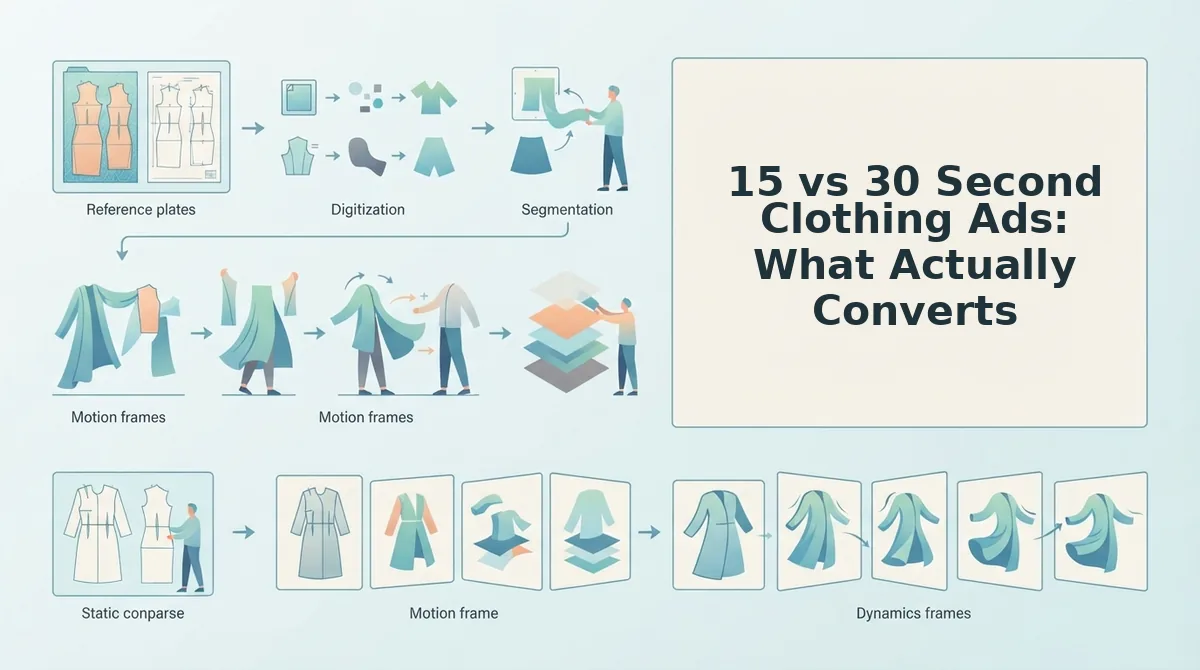
Both 15-second and 30-second clothing ads convert, but they convert at different stages of the funnel and for different garment stories. The right length depends on how much visual information the viewer needs to trust the product.
15-second ads win when the hook is immediate and the garment sells itself in one or two angles. A single hero shot of a dress in motion, a quick fabric swish, or a bold colorway against a clean background can communicate enough in the first three seconds to justify the remaining twelve. These ads work best for retargeting audiences who already know the brand, or for products with an obvious silhouette that doesn't require explanation.
30-second ads win when the garment's value lives in details that take time to see: fabric texture, drape, stitching, fit across multiple body angles, or a styling story that moves from flat lay to on-body to detail macro. Apparel-specific reasoning matters here, a viewer cannot assess how a knit falls or how a seam sits without seeing it in motion across several seconds. Thirty seconds gives the generator room to sequence front, back, side, and fabric detail shots without rushing.
Competitor platforms that specialize in static image carousels or single-clip templates often force brands into one duration per creative. FashionUGC's approach, generating multiple durations from the same photo set, means the 15 vs 30 debate becomes a testing decision, not a production constraint. You are not choosing one length; you are choosing which length to run first against a specific audience segment.
| Factor | 15-Second Ad | 30-Second Ad |
|---|---|---|
| Best for | Retargeting, single-feature garments, hook-driven creative | Cold audiences, multi-angle fit stories, fabric-forward products |
| Garment detail visibility | Limited, one or two angles max | Full, front, back, side, fabric macro, on-body motion |
| Motion requirements | Minimal, a single swish, turn, or transition | Higher, multiple transitions, layering, pacing control |
| Funnel position | Consideration and conversion for warm audiences | Awareness and consideration for cold audiences |
| Production cost | Lower, fewer source images needed | Higher, benefits from 4-6 source angles |
| Best for [persona] | Performance creative teams running rapid A/B tests on proven products | DTC brands launching new silhouettes or premium fabric stories |
Consider a flat lay photo set: front flat lay, back flat lay, fabric macro, and one on-body shot. Run it through the AI clothing ad generator at 15 seconds and you get a tight, punchy cut that opens on the on-body shot and closes on the flat lay. Run the same set at 30 seconds and the generator sequences the flat lay first, transitions to the on-body angle, cuts to the fabric macro, and returns to the front flat lay for the end card. Same four images, two completely different creative strategies.
One self-contained answer for a common query: Should I use 15-second or 30-second clothing ads for a new product launch? For a new product launch to a cold audience, start with 30 seconds. A cold viewer has no prior context for your garment, so the ad must build trust through visible detail: multiple angles, fabric texture in motion, and a fit demonstration. A 15-second cut of the same product works better as a follow-up retargeting ad for viewers who already watched the longer version or visited the product page. If your product has a single dominant feature, a dramatic silhouette, an unusual color, a bold print, a 15-second launch ad can work, but only if that feature is visible within the first two seconds.
One Photo Set, Five Ad Lengths: The Generation Workflow
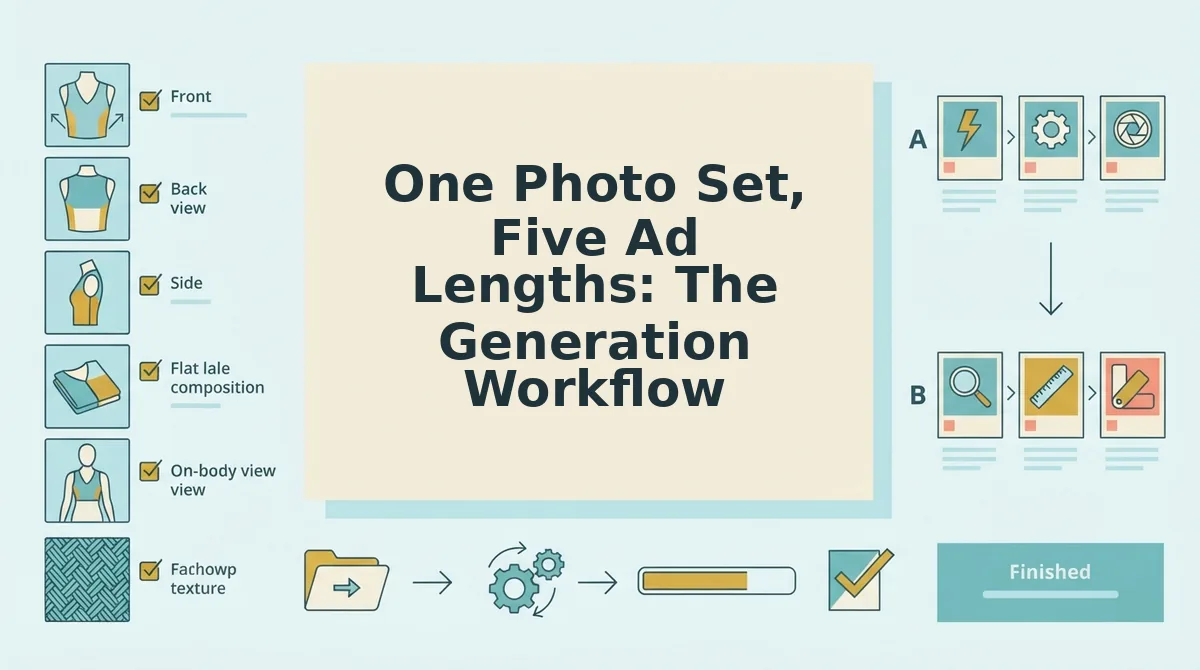
A single upload of one to six clothing photos can generate 10-second, 15-second, 20-second, 25-second, and 30-second video cuts without any reshoots. The workflow below assumes you already have source images that meet basic quality thresholds: sharp lighting, visible hems, and at least two distinct angles.
Prerequisites: You need one to six photos of a single apparel item. For multi-duration output, aim for at least four angles: front, back, side or three-quarter, and a fabric detail macro. If you only have flat lay images, start with the flat lay to fashion video guide to understand how flat lays translate into motion.
- Upload your photo set. Open the generator and click the upload area. Select one to six images of the same garment. You should see thumbnail previews appear in the order you selected them.
- Confirm the angle order. Drag thumbnails to reorder them so the sequence reads naturally: front first, then back, then side, then fabric detail. The generator uses this order as the default narrative for every duration.
- Select the first duration. Choose 10 seconds from the duration selector. Click Generate. Within a few minutes, you should see a preview render that opens on your first image and cycles through the remaining angles at a fast pace.
- Generate the next duration. Keep the same photo set loaded. Change the duration selector to 15 seconds and click Generate again. You should see the same images now paced slightly slower, with more time per angle.
- Repeat for 20, 25, and 30 seconds. Continue changing the duration selector and regenerating. Each longer cut should hold individual angles longer and add smoother transitions between them. You now have five cuts from one upload.
- Review each cut before exporting. Watch all five durations. Check that hems stay visible, fabric motion looks natural, and no angle feels rushed or held too long. Export the cuts you want to test.
Source images that work for every duration share three traits: sharp, even lighting with no harsh shadows; hems, collars, and cuffs fully visible in at least one frame; and multiple angles so longer cuts have enough visual variety to hold attention. A single front shot can generate a 10-second cut, but it will not sustain a 30-second cut without feeling repetitive.
This workflow is the core value of using a generator built for apparel: you turn clothing photos into video once, then produce every ad length your media plan requires. No reshoots, no additional photography budget, no waiting on a video editor to recut the same footage five times.
Clothing Ad Length by Goal
Ad length is a function of the job the ad must do. Match the duration to the marketing goal, and the creative works harder before you spend a dollar on distribution.
- Awareness: 10-15 seconds. Awareness ads introduce the brand or a new product to people who have never seen it. Short durations force a single, memorable visual, one garment, one motion, one hook, which is exactly what a cold viewer can absorb in a feed. Use 10-15 second cuts for top-of-funnel campaigns on TikTok and Reels where the goal is reach, not clicks.
- Consideration: 15-20 seconds. Consideration ads target viewers who have engaged with your content or visited your store but have not purchased. These viewers need slightly more product information: a second angle, a fabric detail, a fit cue. Use 15-20 second cuts to bridge the gap between first impression and purchase intent.
- Conversion: 20-30 seconds, PDP-adjacent. Conversion ads run closest to the product detail page, either as retargeting or as product-page video. These viewers are deciding whether to buy, so the ad must answer objections: how the garment fits, how the fabric moves, what the back looks like. Use 20-30 second cuts that sequence multiple angles and end with a clear product view.
- Retargeting cart abandoners: 10-15 seconds. Cart abandoners already know the product. A short, direct reminder, the garment in motion, one angle, a clean end card, is often enough to bring them back. Do not waste their attention on details they have already seen.
- New product launch: 20-30 seconds. A launch ad must educate as well as attract. Longer cuts give the generator room to show the garment from multiple angles, demonstrate fit, and highlight fabric texture before the first call to action.
- Catalog and PDP video: 15-20 seconds. On product pages, the video's job is to confirm what the photos already show. A 15-20 second cut that cycles through front, back, side, and detail angles gives shoppers confidence without delaying the add-to-cart decision.
- A/B creative testing: generate all five lengths. When testing creative against CAC, run 10, 15, 20, 25, and 30 second versions of the same photo set. The winning length tells you how much information your audience needs before converting, a signal you can apply to every future ecommerce clothing video ad.
Use this framework as a starting point, then let performance data refine it. The next section answers the most common questions about clothing video ad length.
Clothing Video Ad Length FAQ
Clothing video ad length varies by platform and placement: 10-15 seconds for TikTok and Instagram Reels, 20-30 seconds for product pages, and 15-30 seconds for feed placements. Match duration to where the video lives, not to a universal rule.
How long should clothing video ads be on TikTok?
10-15 seconds is the optimal range for TikTok clothing ads, with the hook landing in the first 1-2 seconds. TikTok users scroll past anything that doesn't immediately show the garment in motion or on-body. Longer formats work only for storytelling-driven campaigns, not standard product promos.
What's the best video length for Instagram Reels fashion ads?
10-15 seconds performs best for Instagram Reels fashion ads, with the product visible within the first second. Reels reward completion rate, and shorter cuts keep watch time high. Slightly longer versions up to 20 seconds work when the creative mimics carousel pacing or shows multiple angles of one garment.
How long should product page videos be for clothing?
20-30 seconds is the right length for clothing product page videos. Shoppers on a product page want a full garment walkthrough: front, back, side, fabric close-up, and fit context. Anything shorter feels incomplete; anything longer loses viewers before they reach the add-to-cart decision.
Can I use the same clothing video for ads and product pages?
Yes, but match duration to placement. A 10-second TikTok ad cut is too short for a product page walkthrough, and a 30-second product page video is too slow for paid social. Generate multiple durations from one photo set so each placement gets the right length without reshoots.
Why do shorter clothing ads often outperform longer ones?
Shorter ads complete more often, and completion rate is a primary signal in paid social algorithms. A 10-second clothing ad that finishes holds attention better than a 30-second ad abandoned at the 8-second mark. Shorter cuts also force tighter hooks and faster product reveals, which reduce scroll-past rates.
Match Duration to Placement, Then Generate Every Cut
No single ideal length exists for clothing video ads. The placement-duration matrix is the real answer: 10-15 seconds for TikTok and Reels, 15-30 seconds for feed placements, and 20-30 seconds for product pages. What converts on a product page will not convert in a paid social feed, and vice versa.
The leverage point is that one photo set can generate every duration without reshoots. The same front, back, side, and detail angles that produce a 10-second TikTok hook can also produce a 25-second product page walkthrough and a 15-second Reels cut. Duration becomes a generation setting, not a production constraint.
Creative testing against CAC remains the final arbiter. Run the 10-second and 15-second cuts against each other in the same ad set, measure cost per acquisition, and let the data pick the winner. The placement matrix tells you where to start; your CAC tells you where to double down.
Generate every duration from one photo set with the clothing video generator. Upload your existing product photography, output platform-matched cuts, and test them against each other without scheduling a single reshoot.
Your catalog already contains every angle a winning ad needs. The only missing variable is the right length for the right placement, and that is now a setting, not a shoot.
