

Your best-selling jacket's Reels ad stopped converting last week, and every replacement concept needs motion you don't have. The catalog holds flat lays and ghost mannequin shots, and there's no budget for a reshoot. That pressure is real, and it explains why so many apparel teams end up searching piveth vs kive ai before the next creative refresh.
Take a Shopify seller with nothing but packshots who needs 9:16 vertical motion for Reels without booking a studio. They need a UGC-style clip: a short, casual, phone-native video that looks like a customer filmed it, not a polished campaign spot. Picking the wrong tool means losing a week to prompts that never produce a usable garment shot.
This guide gives you a direct answer. It covers each tool's core output, the inputs it expects, and where each one falls short for clothing. You'll get a verdict by team type, a side-by-side decision matrix, and an honest look at each tool's limits.
One finding may surprise you: the deciding factor isn't AI quality. Before you read on, list the photo angles you already own for one SKU, because that list drives the answer.
Is Piveth or Kive AI better for fast clothing UGC clips?
Piveth is the better fit for SKU-level clothing motion: it builds 10-second apparel clips from packshots and flat lays with little prompting. Kive is the better fit for broad creative exploration and bulk stills, such as product shots and campaign visuals generated at scale.
Kive is a creative workspace for generating and organizing visual assets. Its Bulk Generate feature, as shown in Kive's own "Bulk Generate" video, produces product shots, campaign visuals, and marketing assets in volume. Piveth is narrower. It turns 1 to 6 still photos of one garment into a 10-second clip.
Think of it like a kitchen. Kive is the full pantry, where you can try a hundred flavor ideas. Piveth is the espresso machine: one input, one job, done fast.
Verdict by use case: An agency or brand creative team exploring campaign directions across many visuals should start with Kive, because Bulk Generate is built for stills at scale. A merchandiser who needs motion for specific SKUs should start with Piveth, because it converts existing packshots, flat lays, and detail shots into 10-second apparel clips without heavy prompting. If your bottleneck is "we need more ideas," choose Kive. If your bottleneck is "these 40 products have no video," choose a photo-to-motion tool. Either way, a person should review every output before it runs as an ad.
For the motion route, FashionUGC accepts front, back, side, flat lay, on-body, and fabric-detail photos, then feeds the clip into its AI clothing ad generator workflow.
Piveth vs Kive AI side by side (stills or motion?)
Piveth and Kive split cleanly on output type. Piveth produces 10-second motion clips of one garment from 1 to 6 photos. Kive's Bulk Generate produces still product shots and campaign visuals at scale. Choose by the asset you need and the photos you already own, not by AI quality.
That resolves the open loop. Both tools generate assets, but they generate different kinds of assets. Cells marked "verify before buying" are not confirmed in Kive's own videos or in Piveth's stated specs.
| Criteria | Piveth | Kive AI |
|---|---|---|
| Primary output | 10-second apparel motion clips | Stills: product shots, campaign visuals, marketing assets (Bulk Generate) |
| Required inputs | 1â6 still photos per item | Verify before buying |
| Prompting effort | Low; built around photos rather than prompts | Verify before buying |
| Garment focus | Apparel-specific, one SKU per clip | General creative workspace |
| Best team type | SKU merchandisers, Shopify operators | Agencies, brand creative teams |
| Catalog size fit | Per-SKU motion across a product list | High-volume still exploration |
| Publishing behavior | Verify before buying | Verify before buying |
| Human review | Review every clip before use | Review every asset before use |
From photo to usable asset
- Upload: Piveth takes 1â6 garment stills. For Kive, verify before buying how source photos are ingested.
- Generate: Piveth outputs one 10-second clip. Kive Bulk Generate outputs many stills, so turning them into motion is a separate step to verify.
- Review: Check fit, color, and fabric fidelity in both tools before anything ships.
Here is a worked example. A merchandiser uploads front, back, and fabric-detail plates for one SKU, generates a clip, and reviews it for drape and color accuracy before any use. FashionUGC follows the same pattern. It produces a video file only and does not post to TikTok, so your team keeps control over publishing.
Kive deserves credit where it is strong. If you need dozens of campaign directions before committing to a shoot, stills at scale are the right tool.
Best for agency creative leads: Kive, for visual exploration across concepts. Best for apparel merchandisers: Piveth, for turning existing packshots into SKU-level motion.
If your catalog already has flat lays but no video, try a clothing video generator on one SKU first, then review the clip before you scale.
Next, a closer look at Kive's core design.
What is Kive AI built for, and can it handle clothing?
Yes. Apparel sellers already use Kive for clothing product photography. Its strength is a broad creative workspace paired with bulk still-image generation, not SKU-level motion.
Here is what Kive is built for, ranked by how much it matters to an apparel team:
- Bulk still generation for product and campaign imagery. Kive's Bulk Generate feature produces product shots, campaign visuals, and marketing assets at scale. This matters when a merchandiser needs many stills across a seasonal drop. Use it to fill gaps in catalog imagery before any video work begins.
- Clothing product photography from existing assets. BitBranding's tutorial, "How to Use KIVE AI for Clothing Brand Product Photography (2026 Update)," shows that apparel brands use Kive for still product photography. This confirms that Kive has real traction with clothing sellers. Use it when your bottleneck is styled stills rather than motion.
- A creative workspace for organizing references. Kive is designed as a broad workspace for collecting, sorting, and exploring visual direction. This matters for teams that run moodboards and campaign concepts before shooting. Use it as the planning layer for art direction across a collection.
- Generic onboarding rather than apparel-specific guidance. Most Kive tutorials, including those from Tutorial Wiz, Shax Finds, and Miss Tactics, are beginner walkthroughs with no apparel motion angle. This means clothing teams have to adapt general advice on their own. Budget extra testing time if you plan to use Kive for garments.
- SKU motion as an unverified fit (inferred). We found no published evidence that Kive produces garment-accurate motion from catalog packshots without heavy prompting. Our assessment is inferred from available tutorials rather than tested. If motion is the priority, compare a Kive AI alternative for clothing video.
What is Piveth built for, and what inputs does it need?
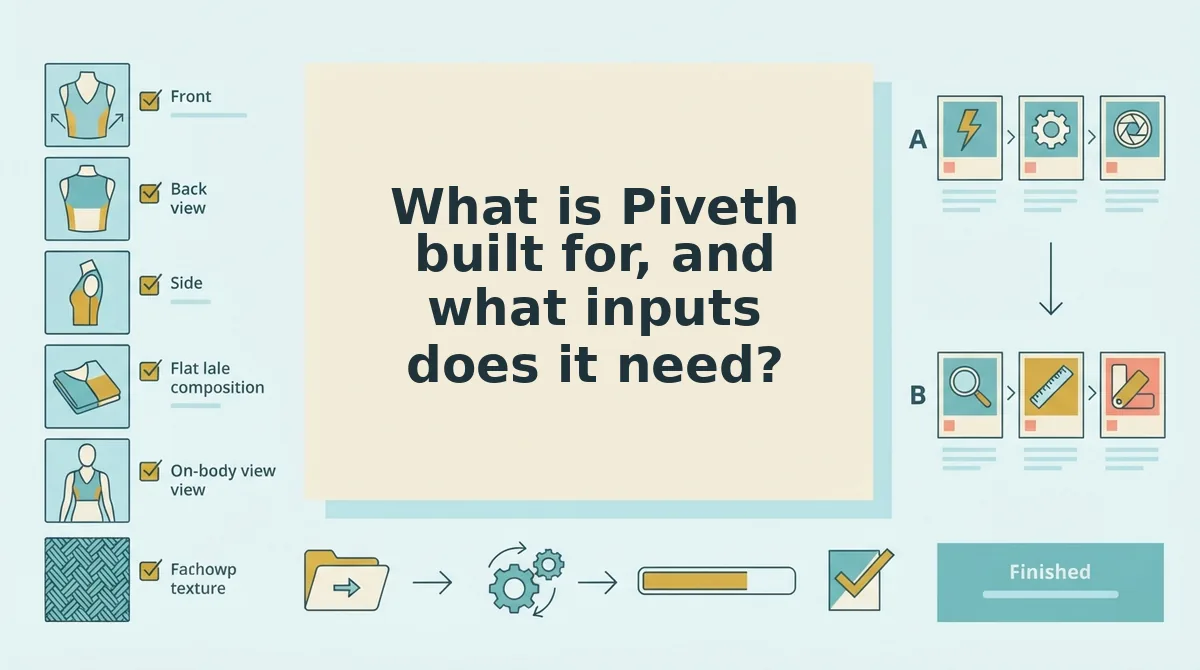
Piveth turns existing apparel packshots and flat lays into 10-second UGC-style clips for Reels, TikTok, and Shorts with minimal prompting. The quality of the clip depends almost entirely on the quality of the stills you upload.
A packshot is a clean product photo on a plain background. A flat lay is a garment photographed lying flat from above. A ghost mannequin shot is a garment photographed on a mannequin that is removed in editing, so the item appears worn but hollow.
Prerequisites: a browser, 1 to 6 still photos of a single apparel item, and about 10 minutes to sort and check your images before uploading.
Inputs that decide output quality
- Gather 1 to 6 stills of one item. Pull the front, back, side, flat lay, on-body, and fabric detail shots from your catalog folder (about 5 minutes). You should have one folder per SKU, with no mixed garments.
- Check the lighting. Open each image and confirm the garment is evenly lit with no blown-out highlights or crushed shadows (about 1 minute per image). Success looks like visible fabric color and texture across the whole garment.
- Confirm hems are visible. Zoom in on sleeve, waist, and bottom hems. Each edge should be fully in frame and uncropped.
- Verify sharp garment plates. Zoom to 100% and check that seams, buttons, and prints stay crisp. Replace any soft or motion-blurred plate before uploading.
- Include a fabric detail shot that shows drape. Pick a close-up where the fabric folds or hangs naturally. This gives the generator a reference for how the material moves.
- Upload and generate. Upload the checked set to Piveth. You should receive a 10-second clip ready for review.
For specific workflows, see how to turn a flat lay into a fashion video or turn clothing photos into video.
How do you know if product photos are ready for AI video? A still is motion-ready when the generator can infer how the garment moves, not just how it looks. That requires clean hems on every edge, so the clip does not invent where a sleeve or skirt ends. It also requires a detail plate that shows drape, meaning how fabric hangs and folds under its own weight, because a stiff, flat image gives no cue for movement. Shoot or crop with 9:16 vertical in mind, leaving headroom above and below the garment. Sharp plates matter more in motion than in stills, because any softness is amplified across frames.
Where does Piveth fall short?
Piveth is narrow by design: it only handles clothing, it only creates a video file, and every clip still needs a person to review it. If you need bulk stills or broad campaign exploration, Kive remains the better fit.
Piveth is a single-purpose generator that converts apparel stills into short UGC-style clips. Think of it like a tailor rather than a department store: excellent at one job, but not the place to shop for everything.
The simplest limit is category. Clothing is the only live category, and Beauty and Accessories are not available yet.
The next limit is scope. Piveth creates the video file, but it does not publish to TikTok, Instagram, or YouTube. It also makes no performance promise, so it cannot tell you whether a clip will lower CAC (customer acquisition cost) or lift conversion.
The most demanding limit is input quality. Low-resolution or blurry stills will not produce production-ready motion, and every clip needs human review before it goes live.
Consider a team whose hem shots came back blurry. Instead of reshooting the whole SKU, they reshoot only the detail plates, upload the replacements alongside the original front and back shots, and regenerate the clip.
So the real question is which tool matches the job your catalog needs done.
Which tool fits your clothing catalog?
Pick by output type first: Kive for stills, Piveth for motion. The matrix rows on inputs and team type only confirm that split.
- Choose Kive if your agency needs stills and campaign visuals across many clients.
- Choose Piveth if you need SKU-level motion from product plates you already have.
- Either way, run the input checklist before uploading: one to six photos of a single item, covering front, back, side, flat lay, on-body, and fabric detail where you have them.
The teased finding resolves here. Speed comes from the photos you prepare, not the tool you open. Clean, multi-angle plates give you a clip worth reviewing instead of one worth regenerating.
Ready to test that on real SKUs? Upload your packshots to the AI fashion UGC video generator, then review the short-form clip before it goes anywhere.
Your catalog already holds the raw footage. The right tool sets it in motion.
