

Your best-performing clothing ad from March is now a ghost, same product, same offer, but Meta's Post-Andromeda feed algorithm has chewed through it faster than a clearance rack on Black Friday. If you're running DTC apparel creative right now, you already feel the squeeze: more variants, shorter shelf life, and a feed that punishes anything that doesn't earn the scroll stop. This guide gives you a production workflow for square clothing video ads Meta feeds actually reward, built entirely from product photos you already own, not a reshoot. You'll learn why 1:1 square format outperforms vertical in feed placements, the exact specs Meta requires before you render a single frame, and a step-by-step method to turn static catalog shots into UGC-style motion using an AI fashion UGC video generator. Stick around for the spec section, there's one thumbnail requirement most brands miss that quietly tanks CTR.
Why Square Format Wins in Meta Feed Placements for Clothing Brands
Square 1:1 video is a video ad format sized at 1080×1080 pixels that occupies more visual real estate in Meta's feed scroll than vertical 9:16, giving clothing brands a larger on-screen presence without requiring a separate creative shoot. In feed placements, square video consistently outperforms vertical because it fills the horizontal scroll space a user's eyes are already tracking, while vertical content gets letterboxed or cropped into a narrower visual band.
Think of feed real estate like shelf space in a retail store. A vertical 9:16 video is a thin endcap display, visible, but easy to walk past. A square 1:1 video is a center-aisle table display: wider, more commanding, and harder to ignore when a shopper is already moving down the aisle. That's the practical difference in the Meta feed scroll.
Here's the decision matrix most guides skip. Match your format to your placement and goal, not your habit:
- Meta Feed (conversion goal): Square 1:1. Maximum visual footprint in the scroll, lowest cost per impression for clothing catalogs, and the format Meta's own creative guidance favors for feed placements.
- Meta Reels or Stories (awareness goal): Vertical 9:16. Full-screen immersion works when the user has opted into a full-screen experience, not when they're scrolling a mixed feed.
- Ecommerce product page (detail goal): Square 1:1. Matches the PDP grid layout and keeps the video consistent with adjacent product photography.
Antonio Ventre's clothing brand case study reported a 6.36x ROAS using Meta Ads, but the creative format decision is rarely isolated in that data, the format supports the offer, it doesn't replace it. Meta Mayson's Post-Andromeda breakdown reinforces the point: fashion brands now face stricter creative requirements because the algorithm evaluates visual quality and format fit more aggressively than before the update. A square video built from clean product photography passes that evaluation more reliably than a hastily cropped vertical.
If you're deciding between aspect ratios for a specific placement, our guide to fashion video aspect ratios breaks down the full decision tree. For Meta feed placements specifically, start with square and only test vertical when you have a Reels-specific hypothesis.
Meta Feed Square Video Specs You Need Before Producing a Single Frame
Before you render anything, lock these seven specs, they're the difference between a clean feed placement and a blurry, auto-cropped disaster. Here's the full checklist, ordered by how badly each one will hurt you if you get it wrong.
- Resolution: 1080×1080 pixels. This is the native square dimension for Meta feed placements. Anything lower gets upscaled and softened; anything higher gets compressed by Meta's encoder anyway, so render at exactly 1080×1080 for the cleanest output.
- Aspect ratio: 1:1. A true square, not a 4:5 or 9:16 crop pretending to be square. Meta will auto-crop non-square uploads to fit the placement, which can cut off product details or leave awkward negative space around the garment.
- File size: under 4GB. Meta's hard cap is 4GB, but practically you should stay under 100MB for a 6-15 second clothing ad. Smaller files upload faster and process sooner, which matters when you're queuing 50 SKU variants in a batch.
- Duration: 6-15 seconds recommended. Meta technically allows up to 240 minutes, but feed ads for clothing perform best in the 6-15 second range, long enough to show the garment from two angles, short enough to loop naturally in the scroll.
- Thumbnail: 1080×1080 pixels, JPG or PNG. This is the spec most brands miss. Your thumbnail is the first frame a user sees before the video plays, and a mismatched or auto-generated thumbnail silently tanks CTR even when the video itself is strong. Upload a custom square thumbnail that shows the garment clearly on a clean background.
- Frame rate: 24-30 fps. Match your source footage or generated motion. Clothing videos rendered at 30 fps look smooth in feed; anything below 24 fps reads as choppy when Meta's player handles the loop point.
- Codec: H.264 with AAC audio. H.264 is the most compatible codec for Meta's processing pipeline. If your AI video generator exports in H.265 or ProRes, re-encode to H.264 before uploading to avoid processing delays or color shifts.
With these specs locked, the next step is turning your existing product photos into square clothing video ads without scheduling a single reshoot.
How to Turn Product Photos into Square Clothing Video Ads Without a Reshoot
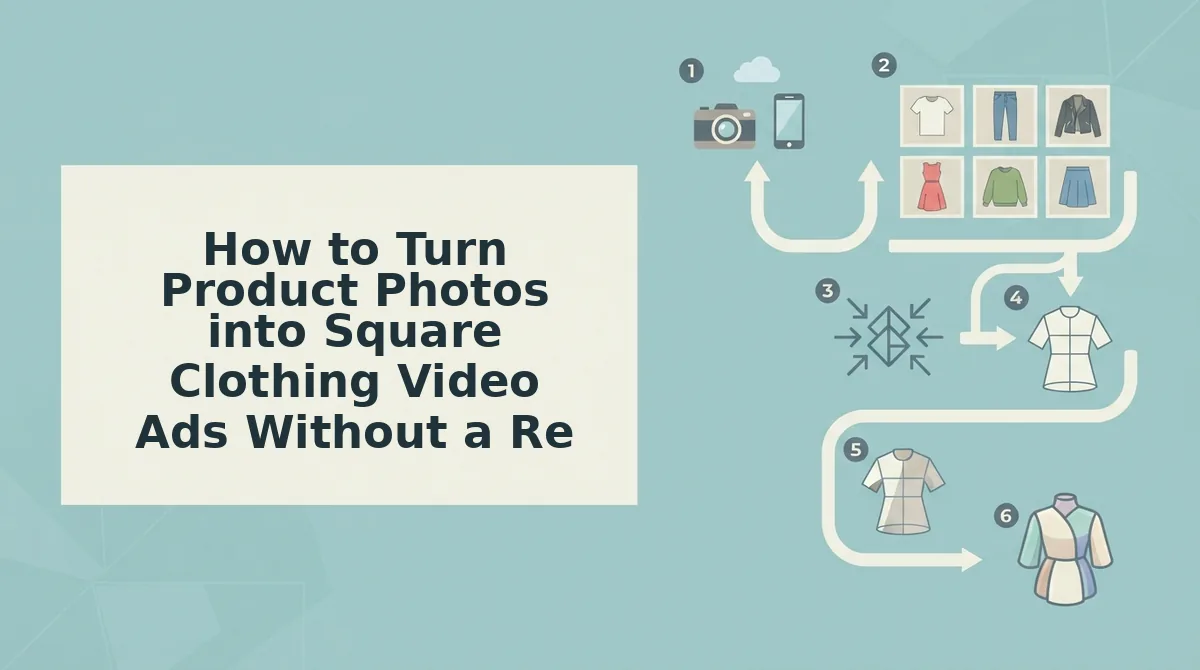
You can produce square clothing video ads from existing product photography in under 30 minutes per SKU using an AI clothing video generator, no camera, model, or studio required. The workflow below assumes you have 3-6 still photos per garment that meet basic quality thresholds: sharp focus, even lighting, visible hems, and at least one full garment plate (front or flat lay).
- Audit your source images before uploading. Open each photo at 100% zoom and check for motion blur, harsh shadows, or cropped hems. Discard any image where the garment edge is cut off or fabric texture is muddy. You should have at least one front angle, one back angle, and one detail shot per SKU.
- Upload 3-6 photos into the generator's source panel. Click the upload zone or drag files directly. Select images that show the garment from different angles, front, back, side, flat lay, and fabric detail. The platform will reject images below minimum resolution, so verify each file is at least 1080×1080 px before uploading.
- Select the 1:1 square output preset. Open the format dropdown and choose Square (1080×1080). The crop engine centers the garment automatically and keeps key details, collars, waistbands, hems, and prints, inside the central 80% safe zone. You should see a preview grid showing exactly what survives the crop.
- Choose a UGC-style motion template. Click the motion tab and pick a preset that matches your ad objective: slow pan for product detail, handheld sway for try-on energy, or fabric-flow for texture emphasis. The AI applies motion to static photos without warping the garment silhouette.
- Add text overlays inside the safe zone. Type your headline or offer into the text field, then drag the overlay so it sits within the central 80% of the frame. Square feed placements crop edges on some devices, so keep all logos and copy away from the outer 10% border.
- Generate and review the output. Click Generate and wait 60-90 seconds. Watch the preview at full speed and check three things: fabric drape looks natural, motion pacing matches the template intent, and text overlays remain fully visible. Regenerate with a slower motion preset if the garment moves too fast to read.
- Export the 1080×1080 MP4 and run a final QC pass. Download the file and play it on a phone screen. Confirm the product is visible within the first two seconds and that no hem or logo is cropped. The file is now ready for Meta Ads Manager upload.
This exact photo-to-square-video workflow replaces the traditional reshoot pipeline. Instead of booking a studio, model, and editor for every new SKU, you turn product photos into square video ads using assets already sitting in your catalog. For brands running weekly creative tests across dozens of SKUs, the time savings compound immediately: one operator can produce 20-30 square video variants in an afternoon, each ready for feed placement testing against your current static-image control.
Square-Specific Creative Optimization for Clothing Feed Ads
Square feed placements reward restraint: slower motion, centered product framing, and text that survives edge cropping. These seven optimizations address the format-specific failures most clothing brands miss when repurposing vertical or story-style creative.
- Keep text overlays and logos within the central 80% safe zone. Square format has different safe zones than vertical; Meta crops square creative to varying aspect ratios across placements, and anything near the edge disappears. Place all headlines, prices, and brand marks inside the inner 80% of the frame to guarantee visibility on every surface.
- Slow the motion pacing below typical UGC speed. Fast, handheld-style cuts that work in Reels feel chaotic in square feed placements where the video sits beside static imagery. Use slower, product-focused pans and gentle fabric movement so the garment remains readable without pausing.
- Show the full garment within the first two seconds. Feed users scroll past anything that looks like a partial product shot. Open with a centered full-garment frame, front angle or flat lay, before cutting to detail shots, so the viewer immediately understands what is being sold.
- Use one focal point per scene. Square frames have less horizontal room than vertical, so multiple competing elements create visual noise. Keep each shot focused on a single element: the collar, the hem, the print, or the fit, never two at once.
- Match motion direction to reading direction. Left-to-right pans feel natural to Western audiences and guide the eye toward any text placed on the right side of the frame. Reverse the direction if your primary market reads right-to-left.
- Test fabric-detail close-ups as the second scene. Texture shots perform disproportionately well in square feed because the format's balanced proportions make macro details feel intentional rather than cropped. Insert a fabric close-up immediately after the opening full-garment frame.
- Generate square-native variants instead of cropping vertical exports. Cropping a 9:16 video to 1:1 cuts off garment edges and breaks composition. Use a clothing video generator that outputs square natively from source photos, so motion and framing are built for the format from the first frame.
If your current square ads underperform, audit them against this list before changing your offer or audience. Most feed-placement failures trace back to cropped text, motion that is too fast to parse, or a product that never appears clearly in the opening seconds, all fixable at the creative level without touching campaign structure.
Square Clothing Video Ads for Meta Feeds FAQ
Direct answers to the most common questions clothing brands ask about square video ads for Meta feed placements, based on real queries from ecommerce communities and search data.
What is the difference between square and vertical video for Meta feed ads?
Square (1:1) video occupies more visual real estate in the Meta feed than vertical (9:16) because it fills a larger portion of the scrollable content area without requiring the user to expand or tilt their screen. Vertical wins in Reels and Stories where full-screen immersion is expected; square wins in feed placements where the ad sits beside organic content and needs to command attention without dominating the screen.
Why do my square clothing video ads underperform?
The three most common causes are cropped text overlays, motion that is too fast to parse while scrolling, and the product not appearing clearly within the first two seconds. Slow the motion, center the garment, and open with a full-product frame.
Can I turn product photos into square video ads without a reshoot?
Yes. AI motion generation converts static product photography into square video ads by adding UGC-style movement, pans, fabric flow, and handheld sway, to images you already own. You need 3-6 sharp photos per garment with visible hems and even lighting, and the output is a 1080×1080 MP4 ready for Meta Ads Manager.
What resolution should square clothing video ads be for Meta feeds?
Upload square video at 1080×1080 pixels with a 1:1 aspect ratio. Meta recommends H.264 compression, MP4 or MOV container, and a file size under 4GB. Keep the video between 5 and 15 seconds for feed placements where shorter creative typically outperforms longer cuts.
How many product photos do I need to generate a square clothing video ad?
Three to six photos per garment produce the best results: one front angle, one back angle, one flat lay, and one fabric detail shot as a minimum. More angles give the motion engine more material to work with, producing smoother transitions and more natural garment movement in the final square video.
Start producing square clothing video ads for Meta feeds today with the photo-to-video workflow above.
Start Producing Square Clothing Video Ads for Meta Feeds Today
The full workflow is now in your hands: lock the 1:1 specs, feed your existing product photography into the clothing video generator, optimize for sound-off viewing and the first two seconds, then troubleshoot from the data. No reshoot required. No new production budget line item. The bottleneck was never your creative team, it was the format pipeline.
Here's the sequence that closes the loop from this article:
- Pull three to six product photos per SKU, front, back, detail, on-body, and upload them to the generator.
- Render at 1080×1080 with captions baked in and motion built for feed-scroll behavior.
- Launch one square variant per product against your current 9:16 or 4:5 control and let Meta's delivery data decide.
Every catalog image you already own is a square video ad waiting to be rendered. The brands winning Meta feeds in 2026 are not the ones with bigger production budgets, they are the ones who stopped treating format as an afterthought and started generating square creative at SKU scale.
Square is not a crop. It is a creative decision that determines whether your clothing ad gets watched or scrolled past.