

You're staring at a finished clothing video in the Shopify product editor, thumb hovering over publish, and the only question left is whether 15 seconds or 45 seconds will hold attention or kill the sale. You're not alone, every DTC apparel operator hits this exact wall when deciding on Shopify PDP clothing video duration. Agree: you've already done the hard part, turning static product photos into motion. Promise: by the end of this article, you'll have a decision framework that maps video length to what the video actually needs to do on the page, fit confirmation, fabric proof, lifestyle context, or social proof. Preview: we'll cover the direct answer most guides dodge, a goal-based decision matrix, and the autoplay rule that changes everything. One finding in particular, why a 45-second video can beat a 15-second one, flips the usual "shorter is always better" advice on its head. If you're generating UGC-style clips from existing catalog photography, you can apply these length rules to every file before it goes live.
What Is the Best Video Length for a Clothing Product Page?
Shopify PDP clothing video duration is the ideal runtime for a product-page video that confirms fit, fabric, or motion for a shopper who has already landed on the page with purchase intent. The direct answer: 10-15 seconds for most clothing PDPs, with the first 3 seconds showing the garment in motion on a body.
Think of a PDP video like a fitting-room mirror, not a fashion show. The shopper has already walked into the store, they don't need a runway introduction. They need to see how the fabric moves, how the fit sits on a real body, and whether the color matches the still photos. That confirmation job takes seconds, not minutes.
Here's the contrarian angle most guides miss: a 45-second video with a strong first 3 seconds outperforms a 15-second video with a slow pan. Attention on a PDP is earned in the opening frames, not the total runtime. If the first 3 seconds show the garment in motion, a turn, a walk, a sleeve drape, viewers will stay longer. If the first 3 seconds are a slow zoom on a flat lay, they bounce regardless of total length.
The buyer already on the PDP has intent. The video only needs to confirm fit, fabric, or motion. That's why awareness-stage content rules, 30-60 second brand stories, don't transfer to product pages. On a PDP, the video is a conversion tool, not a discovery tool.
For merchants generating UGC-style clips from existing product photos, this means trimming aggressively. A tool that converts static apparel photography into short-form motion lets you produce 10-15 second clips per SKU without a reshoot, keeping every video inside the confirmation window.
Video Length by Goal: A Decision Matrix for Clothing PDPs
The right Shopify PDP clothing video duration depends on what the video needs to accomplish on the page. A fit demonstration, fabric close-up, lifestyle scene, and social proof clip each have different optimal runtimes, and the shopper's stage (first visit vs. returning cart abandoner) shifts the math further.
No single length wins across every goal. A fabric detail video that cuts off at 10 seconds leaves texture questions unanswered. A social proof clip that runs 45 seconds tests patience the shopper never agreed to give. The matrix below maps four common PDP video goals to their optimal length ranges and the buyer stage each serves best.
| Video Goal | Optimal Length | Best For | Rationale |
|---|---|---|---|
| Fit demonstration | 10-20 seconds | First-time visitors unsure about sizing | Shows the garment on a moving body, turn, walk, reach, enough to judge drape and proportion without overstaying. |
| Fabric detail | 20-45 seconds | Shoppers comparing materials or buying premium items | Close-ups of weave, stretch, and texture need slower pacing. Buyers evaluating a $200 knit will watch longer to justify the price. |
| Lifestyle context | 15-30 seconds | First-time visitors who need to picture the item in their life | One or two real-world scenes, commuting, dinner, weekend, establish context without becoming a brand film. |
| Social proof / UGC | 10-15 seconds | Returning cart abandoners and comparison shoppers | Authentic, handheld-style clips confirm the item looks like the photos. Short runtime respects the shopper's existing familiarity. |
The buyer-stage dimension adds a second layer. Returning cart abandoners need shorter confirmation videos, they've already seen the product, so a 10-second fit or UGC clip removes the last objection. First-time visitors can tolerate slightly longer detail videos because they're still building trust in the product and the brand.
Competitor guidance often defaults to "keep it under 30 seconds" without explaining why. That advice isn't wrong, it's incomplete. The honest answer is that length follows function. A fabric detail video earns its 45 seconds when the shopper is evaluating material quality. A lifestyle clip earns 30 seconds when the scene answers "where would I wear this?" A fit clip earns 20 seconds when the motion answers "how does this move on me?"
For teams producing UGC-style clips from existing product photography, this matrix becomes a production brief. Each SKU can generate multiple short clips, one per goal, rather than one compromise-length video that does everything poorly. The next variable that changes these numbers is how the video starts playing on the page.
Autoplay vs. Click-to-Play: How It Changes the Math
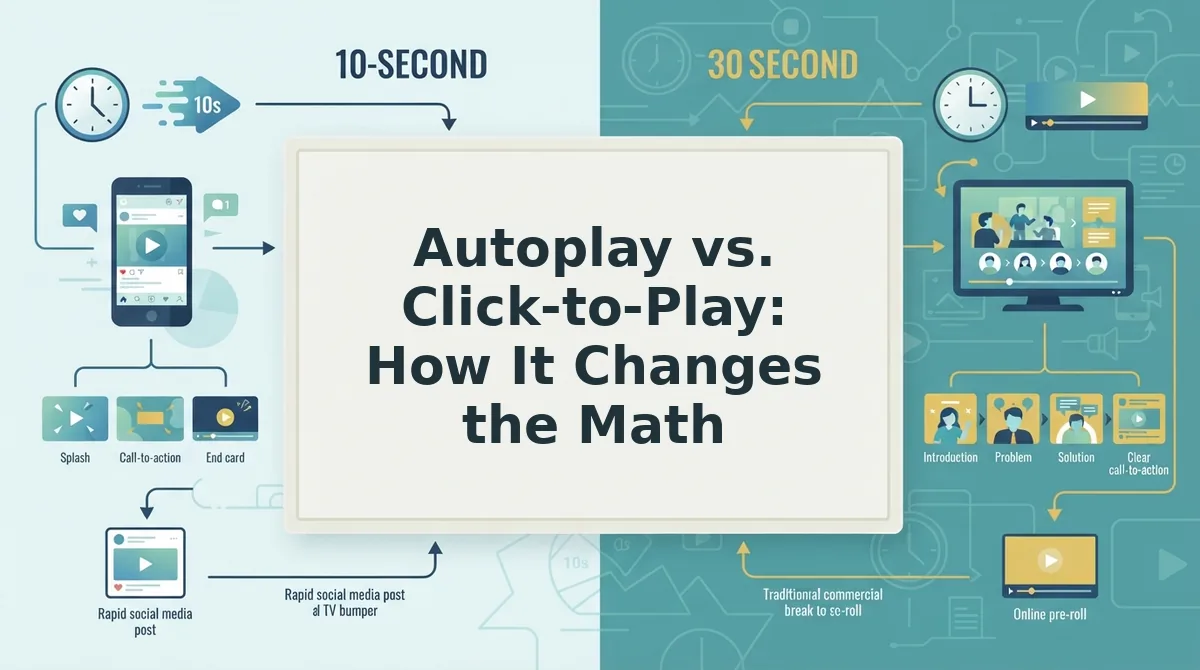
Autoplay video is motion that begins playing without the visitor pressing play, while click-to-play video waits for an explicit tap or click before starting. These two modes create fundamentally different attention contracts with shoppers, and the contract determines how long your clothing PDP video can run before viewers abandon it.
Think of autoplay like a storefront window display: people walk past it without deciding to look, so it must capture attention in the first few seconds or lose them entirely. Click-to-play is more like a fitting room: the shopper has already chosen to engage, so they will tolerate a longer, more detailed experience.
For autoplay videos on clothing product pages, keep the duration under 12 seconds, mute the audio by default, and set the video to loop. The viewer did not opt in, so the video must work as ambient motion that rewards a glance rather than demanding sustained focus. A 10-second loop of a model turning once in a garment fits this contract perfectly.
Click-to-play videos can run 30 to 60 seconds because the shopper has already committed attention by pressing play. This is where fabric closeups, seam details, drape demonstrations, and fit explanations belong. The viewer's intent has shifted from passive scanning to active evaluation, and longer content supports that deeper inspection.
Shopify merchants often repurpose TikTok ads directly onto product pages and see sharp drop-off because ad length logic does not transfer. A 25-second TikTok ad is built for a feed where autoplay is the norm and the viewer is already scrolling; on a PDP, that same video either autoplays into a wall of ignored motion or sits behind a play button that few shoppers press. Match the video length to the attention contract, not the original platform.
File Size and Load Speed: The Hidden Constraint on Video Duration
Video duration directly controls file size, and file size directly controls how fast your product page loads on mobile. A 15-second 1080p video at standard bitrate runs roughly 8 to 15 MB, a 30-second version lands between 16 and 30 MB, and a 60-second 4K file can exceed 100 MB. Shopify recommends keeping product media under 20 MB for reliable mobile loading, which means duration is not just an attention question, it is a performance constraint.
Before you export any PDP video, you need a video compression tool such as HandBrake, FFmpeg, or your editing software's export settings, plus access to your Shopify theme's product media uploader.
- Check your current video file size. Right-click the video file on your computer and select Properties (Windows) or Get Info (Mac). Note the file size in MB. If it exceeds 20 MB, it will likely slow your product page on mobile connections.
- Export at 1080p, not 4K, for PDP use. Open your editing software's export settings and select 1920x1080 resolution. Most PDP video players display at well under 4K, and the resolution cut reduces file size by 60 to 75 percent with no visible quality loss on a phone screen.
- Set the bitrate to 5-8 Mbps for 1080p. In the export settings, locate the bitrate control and type 5 to 8 Mbps. This range preserves fabric texture and motion clarity while keeping a 15-second video around 10 to 15 MB. You should see the estimated file size update in the export dialog.
- Compress the exported file with HandBrake. Open HandBrake, drag your exported video into the window, select the Fast 1080p30 preset, and click Start Encode. The output file should be 30 to 50 percent smaller than the original with minimal visible quality loss.
- Upload to Shopify and verify the page speed. Go to Products, select the product, and upload the compressed video to the media gallery. Then run a PageSpeed Insights test on the live product URL. Your Largest Contentful Paint (LCP) should stay under 2.5 seconds on mobile; if it does not, shorten the video to 10 seconds or reduce the bitrate further.
Shorter duration means a smaller file, which means faster LCP and fewer abandoned page loads. If you need a reliable way to turn product photos into short PDP videos, FashionUGC generates motion clips sized for product pages rather than ad platforms.
The Two-Video Strategy for Clothing PDPs
One video is rarely enough for apparel product pages because shoppers arrive with two different levels of intent: quick scanners who want immediate visual confirmation and detail-oriented buyers who need fabric and construction evidence before purchasing. A two-video split serves both without forcing either to sit through content they did not ask for.
- Hero loop: 10-15 seconds, fit and motion, placed in the product gallery. This is the autoplay video that shows the garment on a model turning once, ideally with a subtle step or arm movement that reveals how the fabric moves. It matters because gallery position means it is the first motion a shopper sees, and it must communicate silhouette, drape, and scale within the autoplay attention window. Use it as the first media item in the gallery so it plays immediately when the page loads.
- Detail video: 30-45 seconds, fabric closeups and drape, placed in the description or a secondary tab. This is the click-to-play video that zooms into seams, stitching, fabric texture, zipper function, and how the garment hangs from different angles. It matters because high-intent buyers actively seek this evidence before committing to a purchase, and they will watch a longer video when they have chosen to press play. Place it below the fold in the product description or in a "Details" tab so it does not compete with the hero loop for initial attention.
This split mirrors how shoppers actually evaluate clothing: a fast visual filter first, then a deeper inspection for those who pass the filter. You can generate both formats from existing photography, flat lay photos into motion work especially well for the detail video, since close-up fabric shots translate naturally into slow, textured loops. The next section answers the most common questions about Shopify PDP clothing video duration.
FAQ: Shopify PDP Clothing Video Duration
PDP video length depends on placement and intent: 10-15 seconds for autoplay hero loops, 30-60 seconds for click-to-play detail videos. The viewer on a product page already has purchase intent, so the video's job is confirmation, not discovery.
Does video length affect Shopify page load speed?
Yes, but file size matters more than duration. A 10-second video encoded at 20 Mbps can weigh more than a 60-second video at 4 Mbps. Compress to under 5 MB for hero loops and use lazy loading so the video only loads when the shopper scrolls to it.
Should the video autoplay or require a tap?
Autoplay muted loops work best for hero placement because they capture attention without friction. Keep autoplay videos under 12 seconds. Click-to-play suits longer detail videos where shoppers actively seek fit, fabric, or construction information.
What's the difference between a PDP video and a social ad video?
A social ad video must earn attention from cold viewers, often using hooks, captions, and fast pacing. A PDP video serves shoppers already evaluating the product, so it prioritizes accurate representation: fit, drape, texture, and color. PDP videos can be shorter and more literal.
How many videos should a clothing PDP have?
Two videos outperform one long video for most apparel pages. A 10-15 second hero loop shows the garment in motion immediately, while a 30-60 second detail video covers fit, fabric close-ups, and styling. This split matches how shoppers scan before committing to deeper viewing.
Why does my clothing video lose viewers after 5 seconds?
Most likely the first frames show the garment flat or on a hanger. Shoppers need to see the item on a body or in motion within the first 3 seconds. Static openings signal catalog imagery, not video, and viewers scroll past before the motion begins.
For apparel PDPs, the 10-15 second hero loop works because it aligns with how shoppers actually browse: they scan product images first, then glance at video to confirm fit and movement. A longer single video forces them to commit time before seeing the garment in motion, which most won't do. Splitting content into a short autoplay loop and a longer click-to-play detail video respects both scanning behavior and deep evaluation. The first 3 seconds of any PDP video should show the garment on a body, in motion, or transitioning between angles, anything else reads as a static image and loses the viewer's attention before the video's value appears.
Start With a 10-15 Second Hero Loop
The right PDP video duration isn't a single number, it's a structure. For most clothing product pages, the answer is a 10-15 second autoplay hero loop that shows the garment on a body or in motion within the first 3 seconds, supported by a longer click-to-play detail video for shoppers who want fit and fabric confirmation.
This two-video approach resolves the tension between speed and depth: short enough to respect scanning behavior, long enough to prove the garment moves the way shoppers expect. Autoplay loops stay under 12 seconds; click-to-play detail videos can run 30-60 seconds without hurting the experience.
Your next step is to start generating PDP videos from product photos you already have. Turn existing catalog shots into short hero loops and detail clips, then test which combination keeps shoppers on the page longer.
The brands that win the PDP aren't the ones with the most video, they're the ones whose first 3 seconds answer the only question that matters: how does this look on me?