

Every reshoot you avoid is margin you keep, yet most DTC apparel operators still can't answer the question how many flat lay angles for AI fashion video actually produce consistent, usable motion. You already own the catalog photography. You already paid for the packshots. What you don't have is a clear rule for which of those images to feed the generator so the output doesn't warp a neckline or make a sleeve flutter like wet cardboard.
You're right to be frustrated: the tool demos show polished results, but none of them tell you the input math. This guide gives you the definitive answer, the 1-3-6 Angle Framework, and explains exactly what each angle teaches the AI about garment physics. You'll learn the minimum viable input, the recommended baseline, and when six angles are worth the extra upload time.
Along the way, you'll see why three angles beat two by a wider margin than most merchants expect, and why the fabric detail shot matters more than a fourth full-garment angle. If you're already uploading flat lays into an AI fashion UGC video generator, the framework below will change which images you select.
The Short Answer: 1 Angle Minimum, 3 Angles Recommended, 6 Angles Optimal
One flat lay angle is the minimum viable input; three angles, front, back, and a fabric detail, are the recommended baseline for consistent garment movement; six angles produce the most photorealistic drape, but most merchants see diminishing returns beyond three. The 1-3-6 Angle Framework is a mental model for matching source-image count to garment complexity and output quality goals.
Think of flat lay angles like camera angles in a product video shoot. One angle tells the AI what the garment looks like. Three angles tell it what the garment is, how the front relates to the back, how the fabric behaves up close. Six angles tell it what the garment does, how every panel, seam, and edge responds to motion.
At the one-angle floor, a front flat lay gives the generator enough to infer a basic silhouette and produce short motion clips. The output works for simple tees, tanks, and uncomplicated tops, but the AI must guess at the back panel, the collar roll, and the fabric weight. Guessing is where warped necklines and unnatural drape come from.
Three angles is the sweet spot for most SKUs. A front flat lay, a back flat lay, and a fabric detail closeup give the generator enough information to reconstruct the garment's structure and material behavior without overloading the upload workflow. This is the baseline we recommend for catalog-to-video conversion at scale, it balances output quality against the time cost of selecting and uploading additional images per SKU.
Six angles, adding a side or 45-degree angle, a hem or cuff detail, and an on-body or ghost mannequin reference, unlock the most photorealistic drape and motion. This tier matters for structured garments like blazers, dresses with complex drapes, or anything with pronounced sleeve or hem physics. For a basic cotton crewneck, the extra three angles add marginal improvement; for a pleated midi dress, they can be the difference between believable flutter and digital mush.
One flat lay angle is the minimum. Three angles, front, back, and a fabric detail, are the recommended baseline for consistent garment movement. Six angles produce the most photorealistic drape, but most merchants see diminishing returns beyond three. The full workflow for converting flat lays into motion is covered in our flat lay to fashion video guide, and the platform ingests between one and six stills per SKU, so you can test the framework on your own catalog without a reshoot.
What Each Flat Lay Angle Actually Teaches the AI
Each angle you upload is not interchangeable, it contributes specific garment physics data to the generated video. Here is what the AI learns from each input, ranked by information value.
- Front flat lay, silhouette, neckline, and front drape. This is the foundational angle that establishes the garment's overall shape, the neckline geometry, and how the front panel falls. Use it as the primary reference for every SKU; without it, the generator has no anchor for proportions.
- Back flat lay, back panel, shoulder seams, and collar roll. The back view teaches the AI what happens behind the garment, preventing the "flat front, guessed back" artifact common in single-angle outputs. Include it for any top with a defined back yoke, collar, or shoulder seam detail.
- Fabric detail closeup, texture, weight, and material movement. A closeup of the fabric surface tells the generator how the material should behave in motion: whether it's stiff denim, fluid rayon, or structured canvas. This angle matters more than a fourth full-garment shot because it directly informs drape physics.
- Side or 45-degree angle, side-seam continuity and sleeve fall. This angle bridges the front and back views, teaching the AI how the side seams connect and how sleeves hang from the shoulder. It is most valuable for structured garments where side profile defines the fit.
- Hem or cuff detail, flutter physics and edge behavior. A closeup of the hem, cuff, or any finished edge shows the generator how the garment's boundaries move. This is critical for dresses, skirts, and wide-leg pants where edge motion drives perceived realism.
- On-body or ghost mannequin reference, fit, proportions, and body hang. A reference showing the garment on a form or body teaches the AI how the item drapes in three dimensions. This angle is the highest-value addition for fitted garments where flat lays alone can't convey how the piece wraps a torso.
Each angle you upload teaches the AI a specific aspect of garment physics. A front flat lay establishes silhouette and neckline geometry. A back flat lay reveals shoulder seam structure and collar roll. A fabric detail closeup communicates texture and material weight, which directly determines how the garment moves in the generated video. Side angles bridge front and back views for seam continuity, while hem and cuff details define edge behavior in motion. An on-body reference adds fit and proportion data that flat lays cannot convey. Uploading the right combination means the generator reconstructs the garment instead of guessing at it.
Skip an angle, and the AI fills the gap with inference, which is exactly where the degradation starts. Here's what breaks when you do.
The Angle Degradation Ladder: What Breaks When You Skip Angles
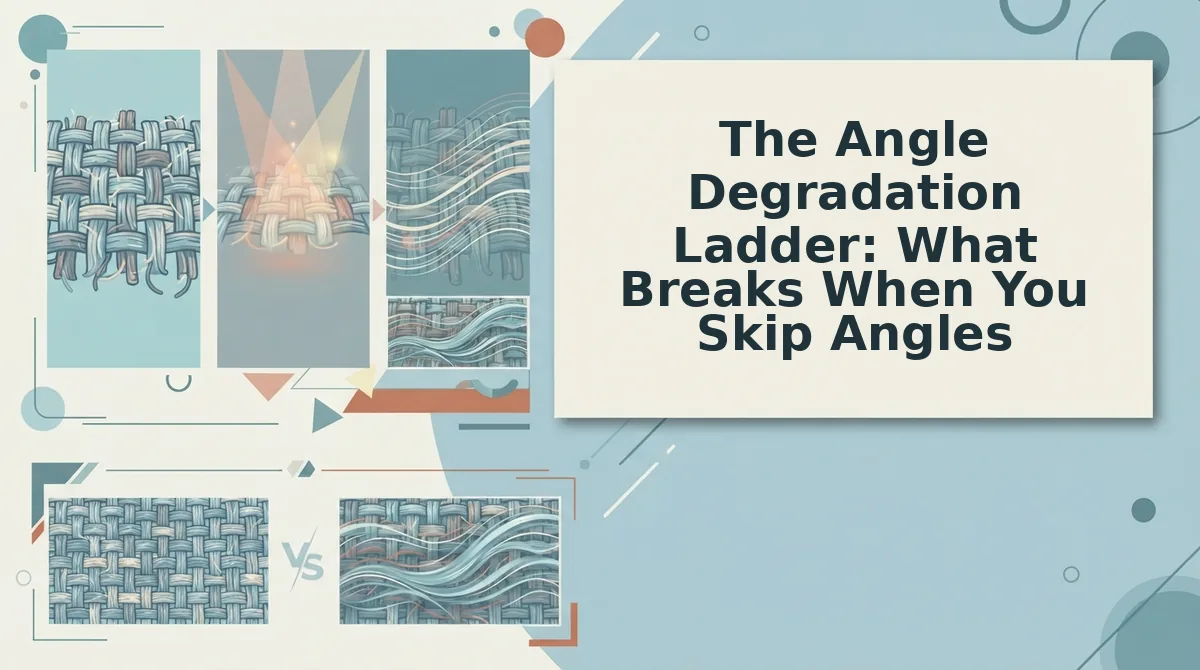
Every angle you omit pushes the AI into guesswork, and the visual artifacts follow a predictable, repeatable pattern. This degradation ladder is first-hand craft knowledge that no tool-promo video covers.
- One angle only (front flat lay): Back-panel drape is entirely guessed, sleeve interiors may warp or fold unnaturally, and the AI invents collar structure that does not exist on the physical garment. Use a single angle only for quick previews or storyboard mockups, never for final ad creative.
- Two angles (front + back): Side seams may blur or smear during motion interpolation, and the collar roll flattens because the AI lacks a profile reference to anchor depth. This setup works for simple tees and tanks where side construction is minimal, but fails on anything with tailoring or volume.
- Three angles (front + back + detail): Minor hem flutter artifacts appear during fabric simulation, and sleeve cuffs may shimmer slightly in motion. For most SKUs this is acceptable output quality, especially when the detail shot captures fabric texture or stitching that anchors the AI's material model.
- Four angles (front + back + side + detail): Side-seam artifacts largely disappear because the AI now has a true lateral reference. Remaining issues are limited to complex drapes like cowl necks or asymmetric hems, which benefit from a fifth or sixth angle.
- Five angles (add flat lay or on-body): Drape physics stabilize for lightweight knits and activewear, and the AI can distinguish intentional design asymmetry from photographic distortion. This is the practical ceiling for most catalog workflows.
- Six angles (full set): The AI has enough spatial data to reconstruct garment volume accurately, including sleeve interiors, collar roll, and back-panel drape. This is the optimal input for structured pieces, outerwear, and anything with visible tailoring.
For a deeper walkthrough of how angle count affects output, see our flat lay to fashion video guide. The platform's multi-angle ingestion accepts one to six stills per SKU, so you can start minimal and add angles as your creative testing demands.
Flat Lay vs. Ghost Mannequin: Which Source Type Works for Which Garment
Flat lays and ghost mannequin shots each solve different problems, and most apparel catalogs already contain a mix of both. The right choice depends on garment structure, not on which format your photographer prefers.
| Source Type | Best For | What the AI Reads Well | What Breaks | Best For Persona |
|---|---|---|---|---|
| Flat lay | Tees, dresses, lightweight knits, activewear | Print placement, drape, fabric fall, hem shape | Structured shoulders, tailored waistlines, rigid denim stacks | DTC brands with high SKU counts and casual or athleisure catalogs |
| Ghost mannequin | Structured jackets, denim, tailored pieces, outerwear | Shoulder structure, collar roll, sleeve pitch, waist suppression | Fluid drape, lightweight fabric movement, relaxed silhouettes | Boutiques and premium brands selling tailored or rigid garments |
| Mixed library | Catalogs spanning both casual and structured categories | Category-appropriate motion when garments are similar in structure | Artifacts when structure differs drastically within one video set | Multi-category Shopify stores running unified creative pipelines |
Mixing source types works when garment categories are structurally similar, such as a flat-lay tee next to a flat-lay knit dress. It causes visible artifacts when structure differs drastically, such as pairing a flat-lay sundress with a ghost-mannequin blazer in the same batch, because the AI applies one motion model across inconsistent spatial references.
Most competitors assume flat lays only, which leaves structured-garment brands without a viable workflow. The platform accepts both source types per SKU, so you can turn product photos into video from whatever your catalog already contains, without reshooting.
How to Shoot Flat Lays That AI Can Actually Read
The AI can only work with what it can see, so capture quality directly determines output quality. You need a camera or phone, a flat surface, and diffused light before you start.
- Set up even, diffused lighting with no hard shadows. Position the garment near a large window or use a softbox, and check that no shadow falls across seams or hems. You should see consistent exposure across the entire garment with no bright hotspots.
- Choose a high-contrast background with clean edges. Use a solid white, light gray, or muted tone that separates clearly from the garment color. You should see a crisp silhouette where the garment edge meets the background with no color bleed.
- Position the camera directly overhead with the lens parallel to the garment. Use a tripod or overhead arm, and check that the garment edges do not converge or distort. You should see the garment as a true top-down rectangle with no perspective tilt.
- Shoot at a resolution sharp enough to read fabric texture. Zoom to 100% on your preview and confirm that knit stitches, weave, or fabric grain are visible. You should see individual texture detail, not a soft blur where the fabric surface should be.
- Capture each angle with the same lighting, background, and camera height. Consistency across your one-to-six source images prevents the AI from reconciling mismatched exposures. You should see a matched set where only the garment orientation changes between shots.
These capture rules are the difference between clean motion and warped fabric. If you are still unsure how many angles your catalog needs, the next section answers the most common questions.
FAQ: Flat Lay Angles for AI Fashion Video
Most AI fashion video generators need one to six flat lay photos per garment, with three angles, front, back, and a fabric detail, delivering the best balance of speed and output quality for typical catalog work.
Can I use one flat lay angle for a simple t-shirt?
Yes, one front flat lay works for basic tees with no back print or side detailing. The AI fills in the back and sides from pattern recognition, but any rear graphic, side seam detail, or unusual drape will be guessed rather than reproduced accurately.
Do I need a 360-degree turntable for AI fashion video?
No. A turntable produces video, not the still frames AI generators are built to read. Three to six static flat lay angles shot from consistent overhead positions give the model more usable training data than a rotating capture, and they cost nothing extra to produce.
What's better for AI video: flat lay or on-model photos?
Flat lays win for consistent lighting, wrinkle control, and garment shape fidelity. On-model photos add realistic drape and movement context but introduce variable backgrounds and body shapes. The strongest output often combines both: flat lays for structure, one on-model shot for fit reference.
How many photos does FashionUGC need for a clothing video?
FashionUGC accepts one to six still photos per garment. Three angles, front, back, and one fabric detail, are the recommended baseline. Six angles help structured garments like blazers, corsets, or anything with complex draping. You can turn product photos into video directly from your existing catalog files.
Why does my AI video look flat when I only upload front angles?
Because the model has no depth data. A single front flat lay gives the AI a 2D silhouette with no information about side seams, back construction, or fabric weight. Adding a back angle and one side or detail shot gives the generator the dimensional cues it needs to simulate natural movement.
Start With Three Angles, Scale Up Only When the Garment Demands It
Three flat lay angles, front, back, and a fabric detail, are the recommended baseline for most SKUs. Six angles are only worth the extra shoot time for structured garments, complex drapes, or pieces where construction details drive the purchase decision. The pattern across every section of this guide points to the same conclusion: more angles reduce AI guesswork, but diminishing returns hit fast after three for simple apparel.
Your next step is to pull three existing catalog photos for one SKU and start generating from your existing catalog. The generator produces a video file; a person reviews the output before it goes anywhere. That review step is where you learn which garments in your line need the extra three angles, and which ones are ready to ship creative from the photos you already have.
